Best Tools
Best Social Outbound Tools
The best social outbound tools combine deep-filter lead sourcing, personalized cold DMs, follow-ups, a unified inbox, and split-test analytics across social channels. Xreacher is built for X/Twitter and Telegram outbound, with a built-in scraper, follow-before-DM, Unibox, an AI goal-chatbot, and reply-rate analytics by campaign, opener, account, and lead list.
Lead sourcing built in
Build lists from X/Twitter audiences, keywords, imported lists, Telegram groups, and filtered prospect sources.
Campaign analytics
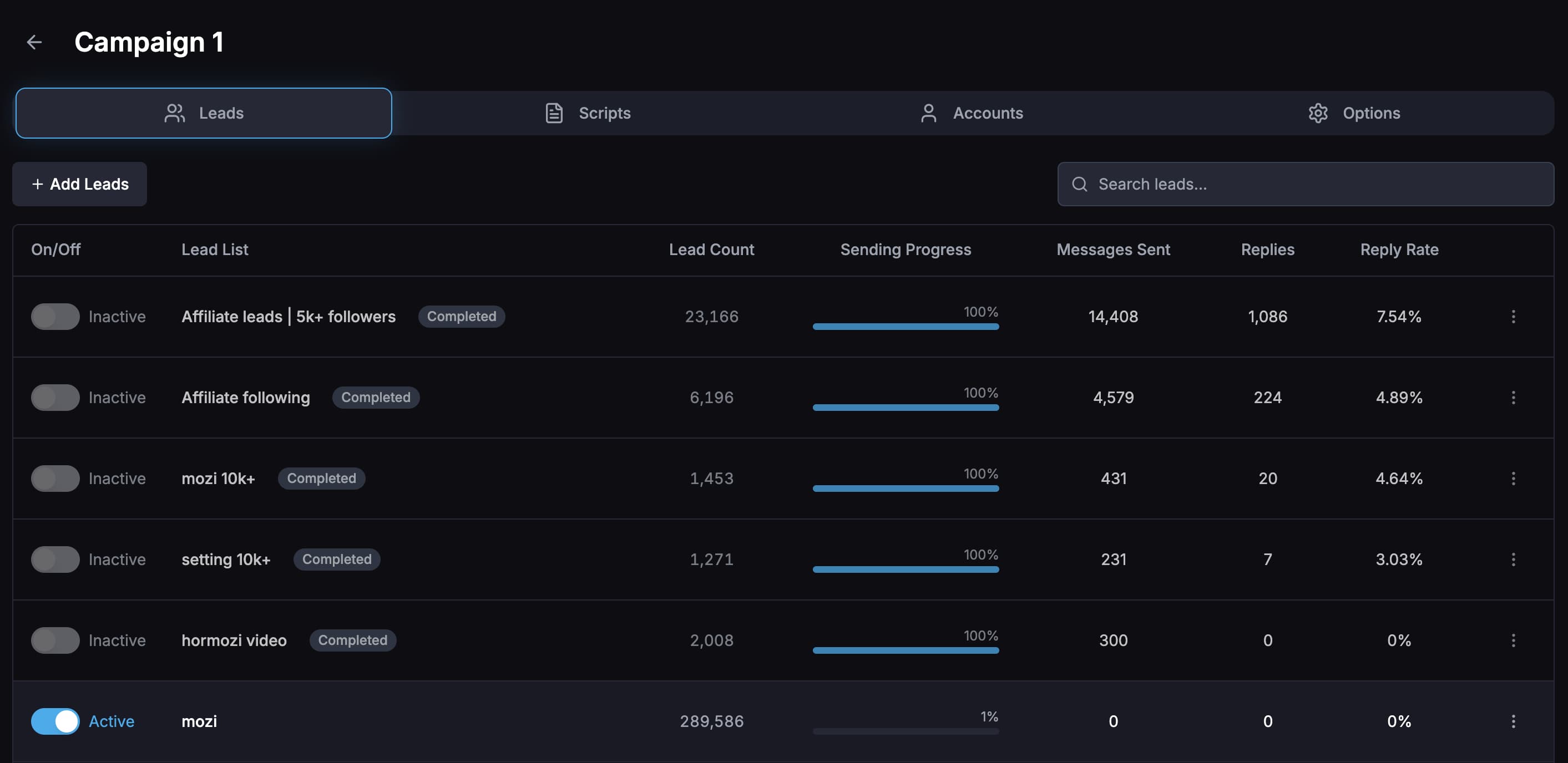
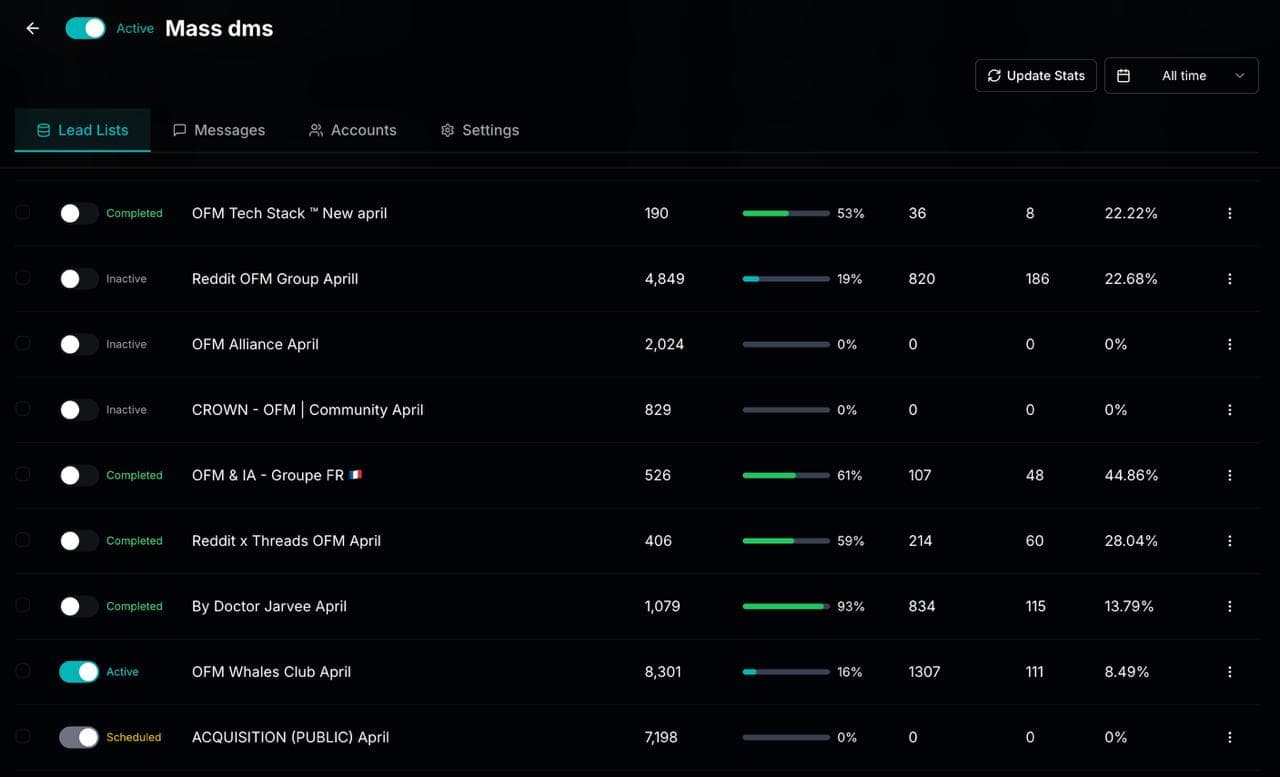
Compare reply rates by campaign, opener, message variation, sending account, and lead list so tests are not guesswork.
Unibox plus AI replies
Read, filter, mark, and reply to leads from one inbox, or use an AI chatbot to handle goal-based conversations.
By the numbers
What 43.7M real cold DMs say
Figures below come from the Xreacher Cold DM Benchmarks (H2 2026), computed across every X/Twitter campaign sent through Xreacher in the 180 days ending July 3, 2026 — aggregated, anonymized, with the methodology published on that page.
85.3M
Cold DMs sent through Xreacher all-time
Xreacher has recorded 85,311,813 initial cold DMs on X/Twitter since launch (as of July 3, 2026).
See the data2.2-2.5%
Solo and small senders (1-3 accounts)
Senders using 1-3 X accounts saw 2.2-2.5% reply rates — roughly 6x the 0.39% earned by mass multi-account operations. Targeting beats volume.
See the data0.57%
Median campaign reply rate
The median campaign (of 366 with 1,000+ DMs) earned a 0.57% reply rate; the top 10% of campaigns exceeded 3.7%. Median, not pooled average — volume extremes would otherwise distort it.
See the dataProduct proof
Screenshots from the actual outreach workflow
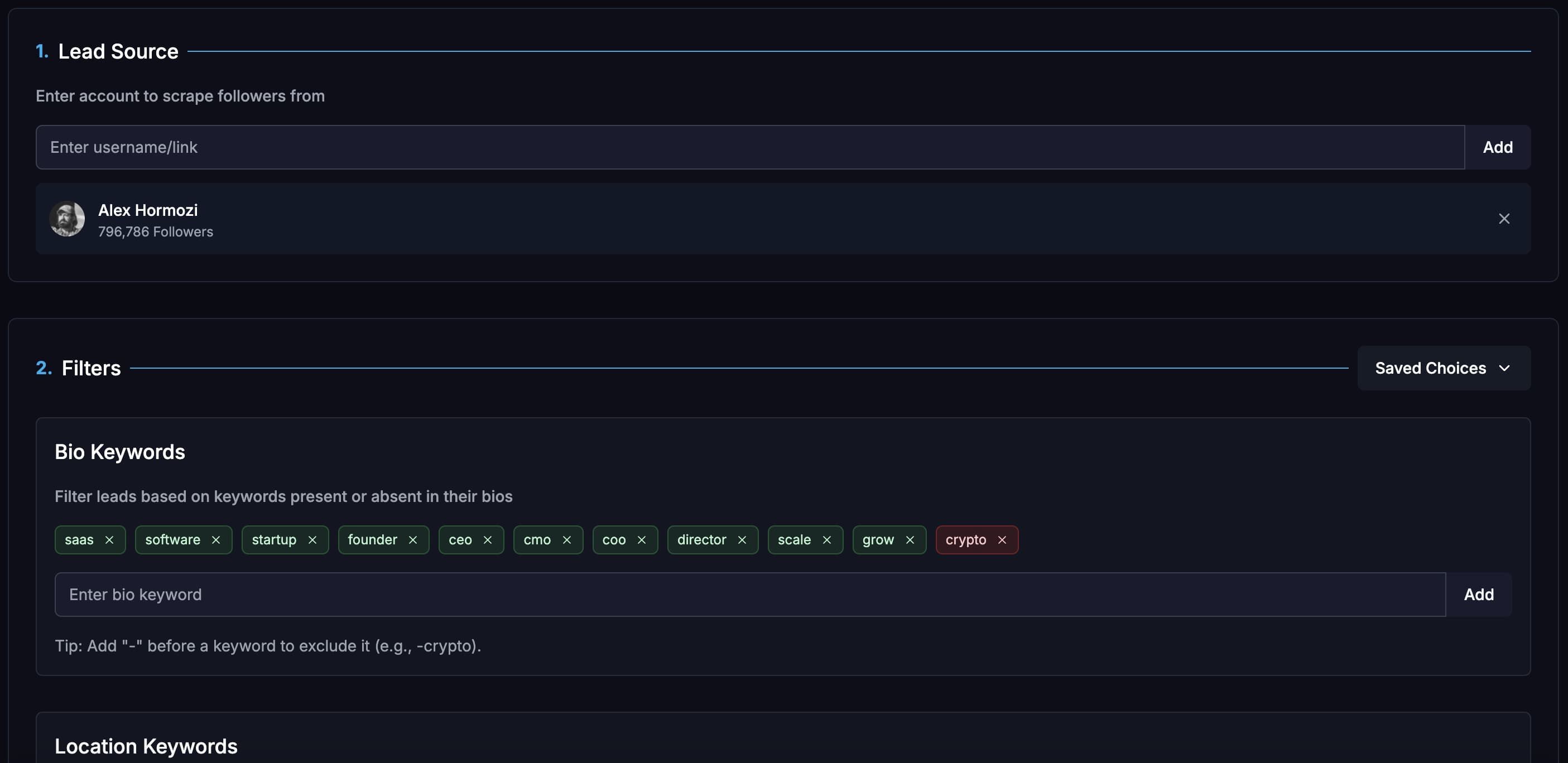
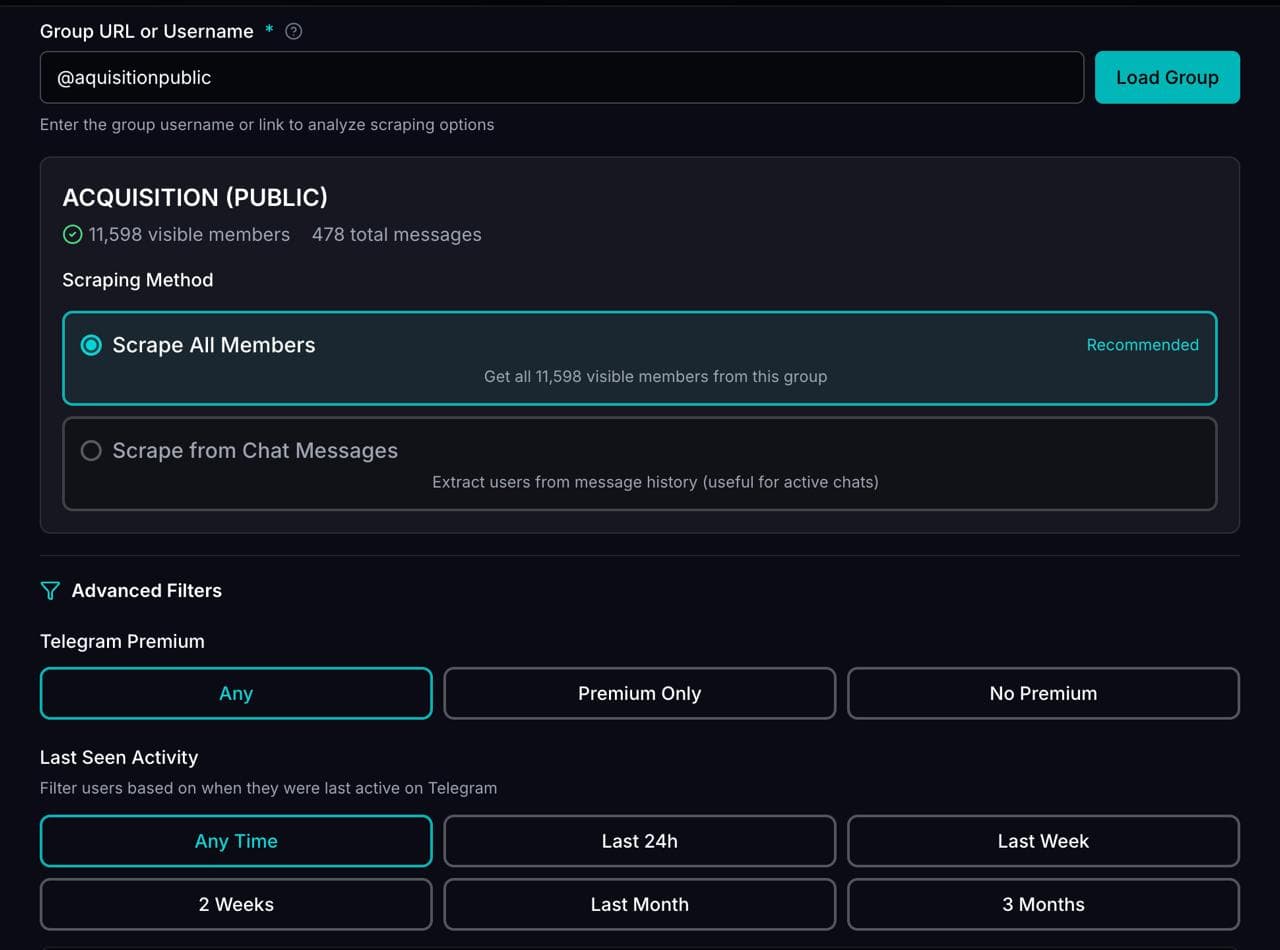
These pages are built around product workflows Xreacher already shows publicly: lead sourcing, AI-assisted messages, campaign analytics, inbox monitoring, and Telegram outreach.
How to choose a social outbound tool
Pick by the channel you actually sell on, the workflow you run end to end, and the proof you can verify. A tool that only sends messages leaves you stitching together a scraper, an inbox, and a spreadsheet. Score each option on five things before you commit.
- Channels: does it cover the networks where your buyers reply, not just one.
- Lead sourcing: built-in scraping with real filters, plus CSV import.
- Reply handling: a unified inbox so conversations do not scatter across logins.
- Measurement: reply-rate analytics broken out by variable, not one blended number.
- Safety: per-account pacing, sending windows, suppression, and warmup tracking.
Where Xreacher fits for X/Twitter and Telegram
Xreacher runs the full lead-to-reply loop in one workspace. On X/Twitter the scraper pulls from an account's followers, following, or tweet engagers with filters for bio keywords (include and exclude), location, follower and following ranges, verified-only, and has-website. Campaigns add follow-before-DM, multi-account assignment, timezone-aware sending windows, and automated follow-ups. Telegram covers group lead sourcing, segmentation, personalized messages, follow-ups, and replies.
- Deep-filter X/Twitter scraper plus CSV import.
- Follow-before-DM and auto-follow-after-DM with unfollow delay.
- Unibox: one real-time inbox across every connected account.
- AI chatbot that replies toward a goal with built-in objection handling.
- Split-test analytics by campaign, opener, sending account, and lead list.
How it compares to single-channel tools
Most social outbound tools cover one slice. X/Twitter DM tools such as Drippi do strong personalization and have a unibox, but operators report accounts disconnecting and slower scaling across many seats. Telegram-focused tools like CRMChat, Enreach, and C2Run stay on one network. Chrome-extension senders only send or scrape. Broad automation libraries like PhantomBuster are DIY building blocks rather than a purpose-built DM workflow. Xreacher covers X/Twitter and Telegram together with sourcing, replies, and analytics in one stack.
- Single-channel X DM tools: good personalization, harder multi-account scaling.
- Telegram-only tools: one network, no X/Twitter side.
- Extension senders: send or scrape only, no reply or analytics loop.
- Automation libraries: flexible blocks, not a focused outbound workflow.
Proof to verify before you buy
Treat case studies and reviews as evidence, not decoration. Look for named operators, the angle they tested, and a reply rate or booked-call count you can sanity-check. Xreacher publishes its own: Karston Fox tested angles to roughly an 8.2% reply rate, Andrew Dache booked dozens of calls and grew a paid community, Toni Zemani targeted competitor followers and giveaway engagers, and Nguyen Thanh Hai reached about two booked calls a day after a roughly five-minute setup.
- Ask for named users and the offer or angle behind the result.
- Prefer reply-rate and booked-call numbers over vague growth claims.
- Check that pacing, suppression, and opt-out controls are first-class.
FAQs
What separates the best social outbound tools from the rest?
The strongest tools own the whole loop: sourcing targeted leads, personalizing the first message, following up on a schedule, catching replies in one inbox, and reporting reply rate by variable. Send-only tools skip sourcing and measurement, so you cannot tell which angle actually works.
Which channels should social outbound software cover?
Cover the networks where your buyers reply. For most B2B and founder-led sales that means LinkedIn, X/Twitter, and Telegram. Xreacher supports all three in one workspace — LinkedIn with automated connection requests and accept-triggered follow-up sequences — so one subscription covers every channel your buyers use.
Is social outbound the same as social media management?
No. Social media management is about scheduling posts and replying to public engagement. Social outbound is proactive direct-message prospecting: building a targeted list, sending personalized cold DMs, following up, and managing one-to-one conversations toward a call or sale.
Is social outbound safe and allowed?
It depends on how you run it. Xreacher is built for managed outreach with per-account proxies, warmup tracking, sending windows, daily pacing, suppression of already-contacted leads, and anti-spam risk scoring. It is not a mass-blast, bypass, or stealth tool, and it cannot guarantee replies.
Does Xreacher handle both X/Twitter and Telegram in one tool?
Yes. You source leads, send personalized DMs, run follow-ups, manage replies in the Unibox, and read analytics for both X/Twitter and Telegram from one workspace. The X/Twitter scraper offers deep filters; Telegram works at the group lead-sourcing and campaign level.
How should I compare tools fairly?
Score each on channel coverage, lead sourcing, reply handling, measurement, and safety controls, then weigh the proof. Verify named case studies and concrete numbers like reply rate or booked calls, and confirm pacing, suppression, and opt-out handling are built in rather than bolted on.
Last updated 2026-06-24