
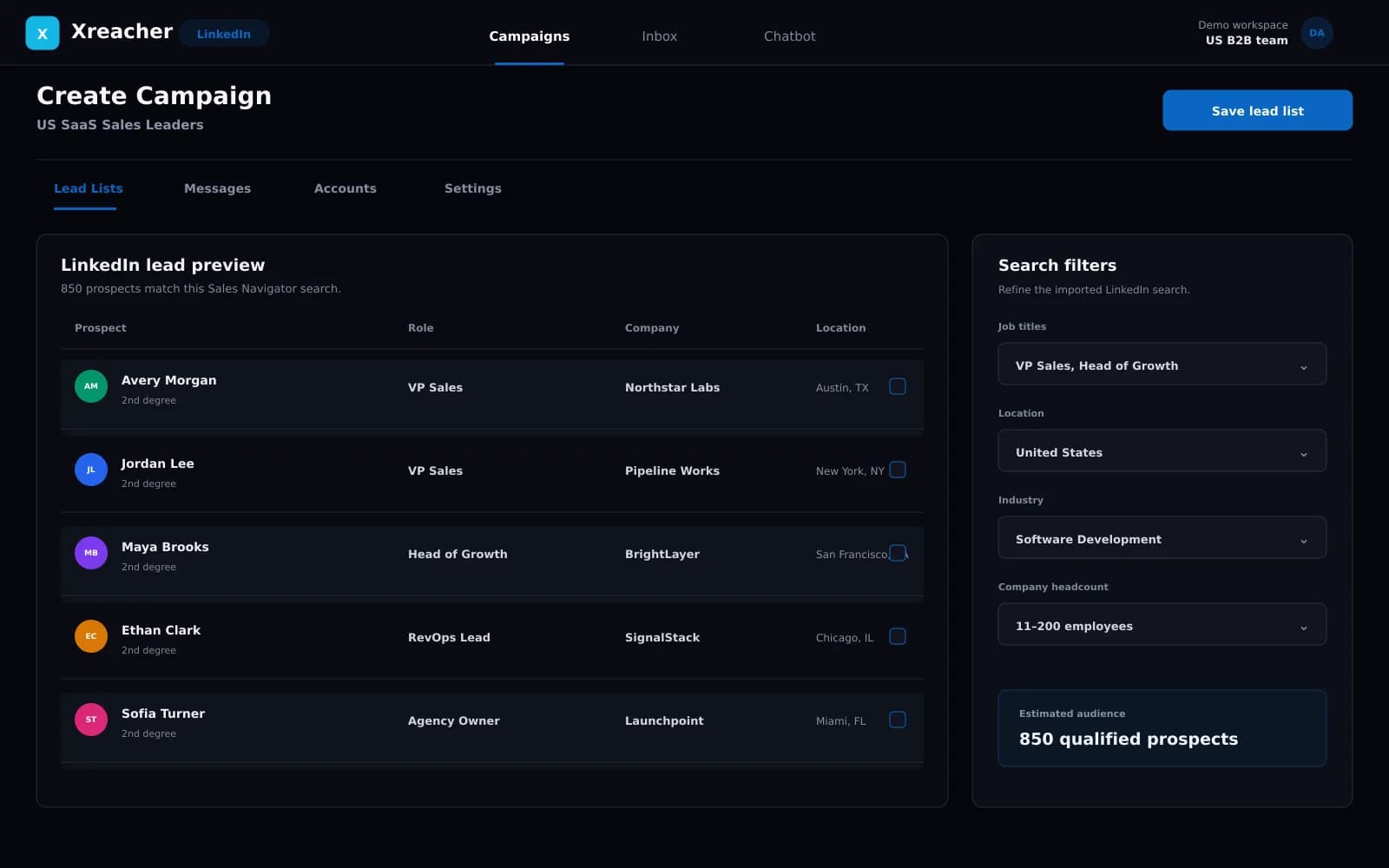
LinkedIn outreach is live in Beta

LinkedIn outreach automation: connection requests and follow-ups on autopilot

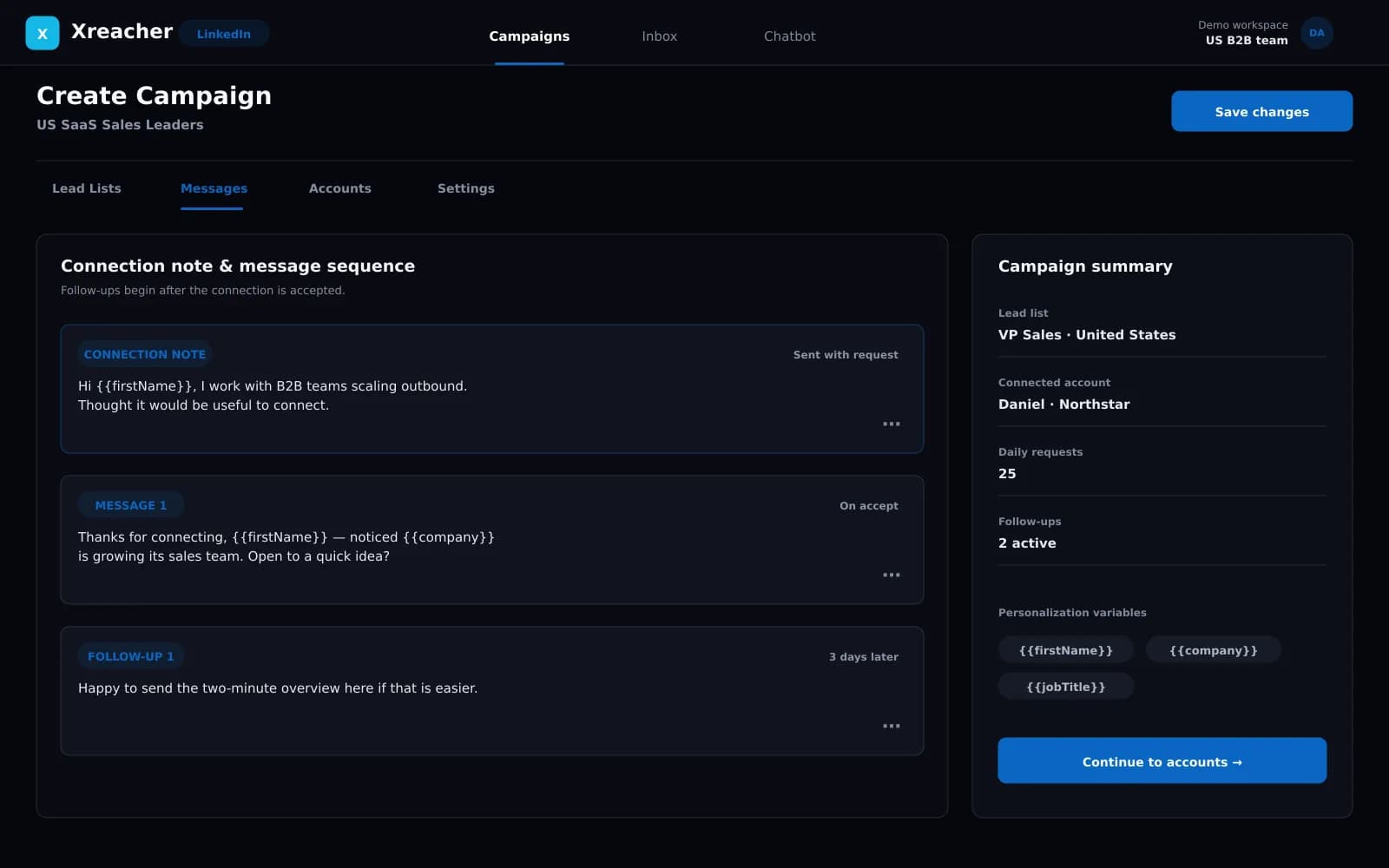
Xreacher sends connection requests to your lead list, with an optional note personalized to each prospect, then follows up automatically once they accept. Everything runs at a safe, human-like pace.

7-day free trial on Pro. Cancel anytime.

What's included

Automated connection requests

Xreacher works through your lead list at a conservative daily pace. Add a personalized note to your requests, or send them without one.

  • Optional personalized note on each request
  • Send queue built from your lead list
  • Conservative daily request limits

Follow-ups that trigger on accept

Write your first message and follow-ups once. The sequence starts the moment a lead accepts your request and runs on the delays you set.

  • First message sends on connection accept
  • Timed follow-ups on your own schedule
  • One sequence runs across the whole list

Lead lists from LinkedIn search

Run a LinkedIn people search and Xreacher scrapes the results into a lead list. You can also import your own leads from anywhere.

  • Scrape LinkedIn search results
  • Import existing lead lists
  • Feed lists straight into campaigns

Built to protect your LinkedIn account

No tool can promise zero risk on LinkedIn. What Xreacher controls is behavior: low daily volumes and natural spacing between actions, so your activity stays at a pace a person could actually work at.

More detail in our responsible outreach guide.

How it works

1

Connect your LinkedIn account

One seat runs one account. Any seat can switch platforms from your dashboard.

2

Build your list

Scrape LinkedIn search results or import your own leads.

3

Write your messages once

Set up your follow-up sequence, with an optional connection note personalized across the list.

4

Launch and take the replies

Requests go out at a safe pace. Follow-ups fire when leads accept.

Pricing

Infrastructure for outreach at scale.

MonthlyYearly
Most Popular

Pro

Lead Engine

$67/ month

For founders and operators using their main account

Includes

  • Connect up to 1 account
  • Automated follow-ups
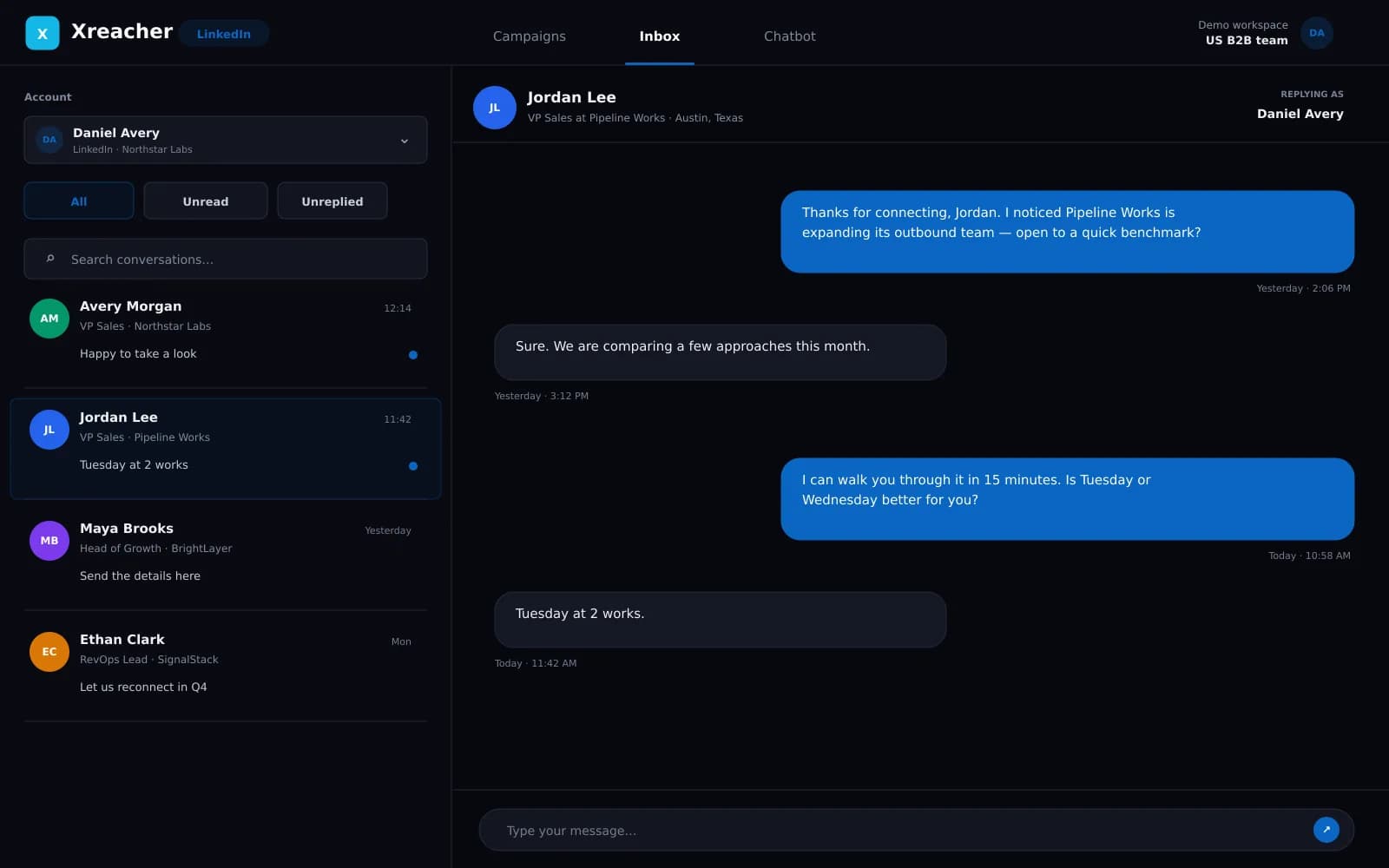
  • Inbox for replies
  • AI chatbot for response handling
  • Advanced personalization logic
  • Advanced lead scraper
  • Cupid AI API (basic integration)

Optimized for inbox safety & reply rate

Scale

Outreach Infrastructure

$299/ month

Built for agencies & volume operators

Includes

  • Everything in Pro
  • Up to 100 accounts
  • Unified inbox across all accounts
  • Advanced Cupid AI API integration
  • Account-level sending logic
  • Follow / unfollow automation

Running thousands of accounts? Agency Max is the required setup.

Done For You

We run it for you

Custompricing

Hand off your entire LinkedIn outreach to our team

Includes

  • We set up & warm up your accounts
  • Done-for-you targeting & lead sourcing
  • High-converting scripts written for you
  • We run & optimize your campaigns
  • Reporting + a dedicated strategist

Apply free. We'll follow up personally.

Performance support is available for setups.

Need a custom plan or want to pay with crypto? Contact us on Telegram

LinkedIn automation questions

Is LinkedIn automation safe to use?
No tool can honestly promise zero risk, because LinkedIn restricts accounts that behave like bots. Xreacher keeps your account at human-like volumes: conservative daily limits, natural spacing between actions, and pacing you can see and control. Read our responsible outreach guide for the full picture.
How many connection requests can I send per day?
LinkedIn caps most accounts at around 100 connection requests per rolling week, roughly 20-25 per working day. Xreacher paces requests conservatively below that cap. A personalized note to a well-targeted list converts better than maxing out the weekly limit.
Do I need LinkedIn Sales Navigator?
No. Xreacher builds lead lists from standard LinkedIn search results. Run a people search and Xreacher scrapes the result pages into a targeted list. You can also import your own lead lists. Sales Navigator is not required for any feature.
What happens after someone accepts my request?
Your sequence starts. You write a first message plus timed follow-ups once, and the moment a lead accepts, Xreacher sends the first message and works through your follow-ups on the delays you set.
Can I personalize each connection request?
Yes, if you want to. You can attach a note personalized to each prospect, or send requests without one. It is a matter of preference. If you use notes, you write the template once and Xreacher personalizes it across your whole lead list.
How is Xreacher different from LinkedIn-only tools?
Scope. Most LinkedIn automation tools cover only LinkedIn. One Xreacher subscription runs LinkedIn, X (Twitter), and Telegram. Any seat can run any platform, and you can change a seat's platform from your dashboard at any time.
Can I run multiple LinkedIn accounts, or mix platforms?
Yes. Each seat connects one account on one platform, and multi-seat plans mix freely. For example, a 10-seat plan could run six LinkedIn accounts and four X accounts, and you can change the split at any time.
Is there a free trial?
Yes. New customers get a 7-day free trial on Pro. Connect a LinkedIn account, build a list, and launch your first campaign before you pay anything.

Put your LinkedIn outreach on autopilot

Automated connection requests, follow-ups that trigger on accept, and X and Telegram in the same subscription.

7-day free trial on Pro. Cancel anytime.