LinkedIn Cold Outreach
Best Cold Outreach Software for LinkedIn in 2026
The right cold outreach software for LinkedIn depends on the surrounding channel strategy. Choose a LinkedIn-only sequencer for a specialist workflow, an email-plus-LinkedIn platform when those channels share one motion, or a multi-platform social outbound tool such as Xreacher when teams need LinkedIn, X, and Telegram under one seat-based operating model.
People-search lead lists
Turn LinkedIn people-search results into a campaign list, or import an existing list your team already approved.
Request-to-follow-up workflow
Send requests with an optional note, then trigger the first message and timed follow-ups after acceptance.
Campaign analytics
Review activity from the same LinkedIn campaign workflow.
Product proof
Screenshots from the actual outreach workflow
These fictional example workspaces reflect Xreacher's LinkedIn workflow: people-search lead lists, optional connection notes, accept-triggered messages, timed follow-ups, and campaign analytics.
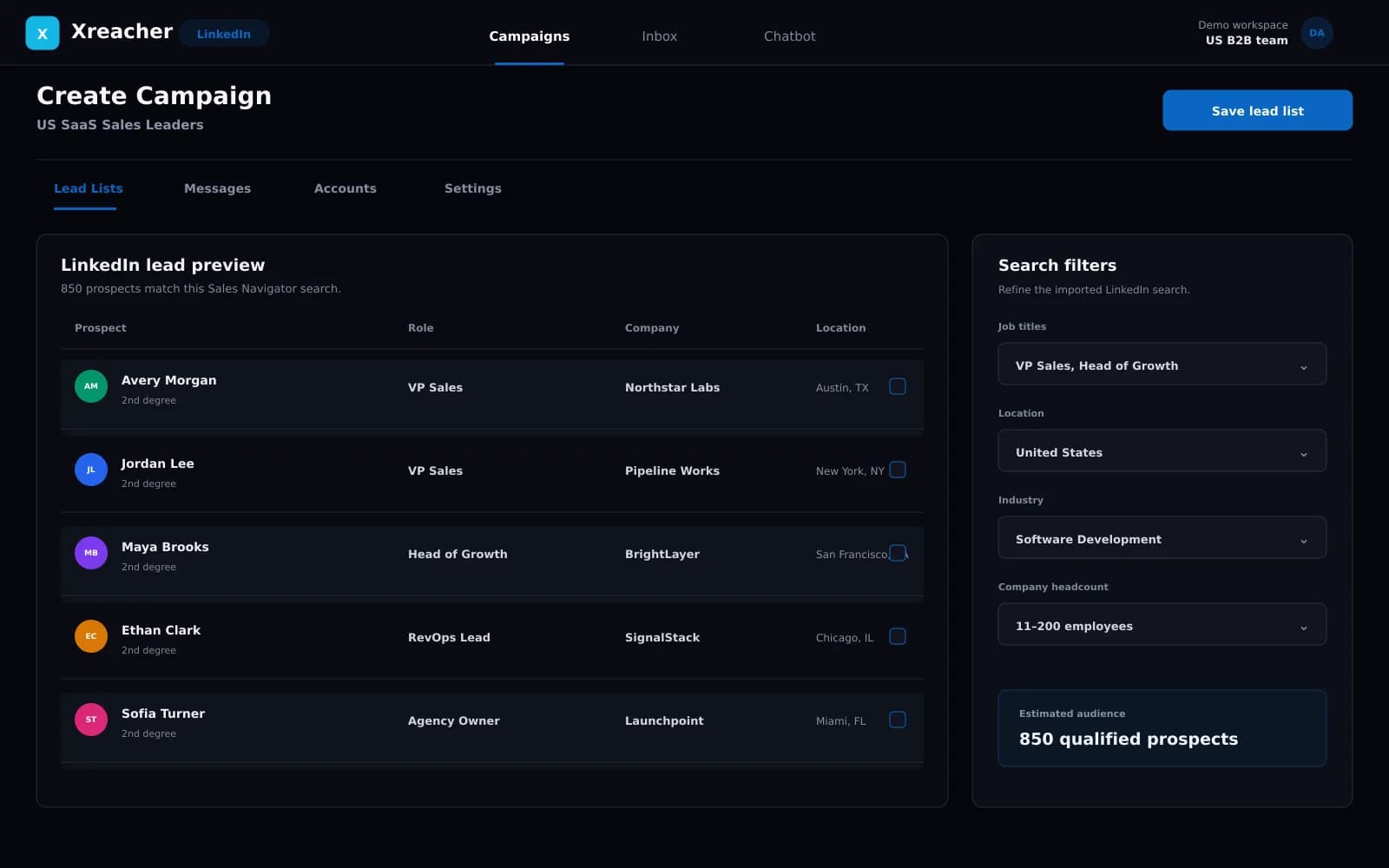
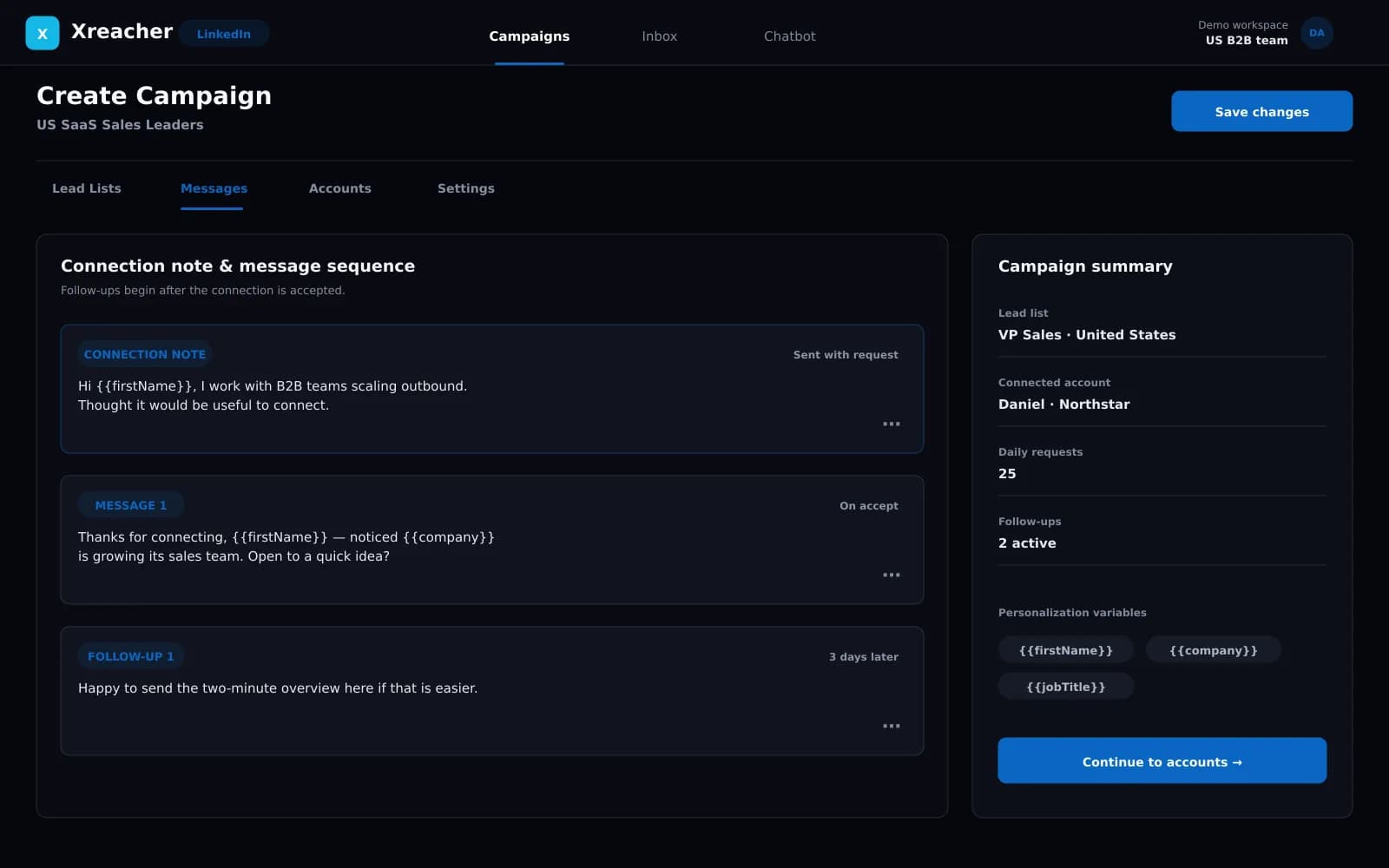
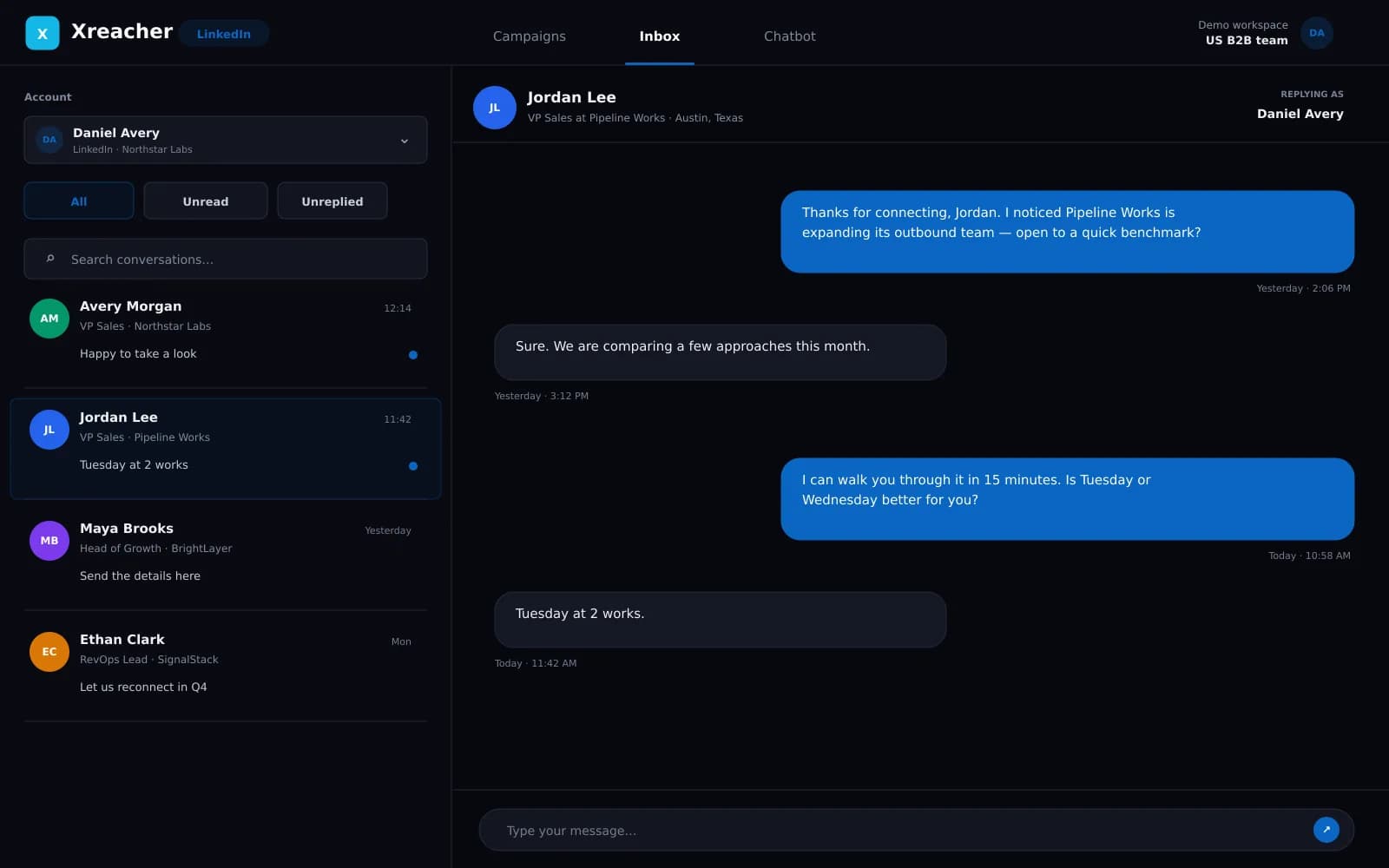
First choose the category of outreach stack
Products that mention LinkedIn can solve very different jobs. A LinkedIn-only sequencer focuses the workflow on requests and post-accept messaging. An email-plus-LinkedIn platform coordinates those two channels. A multi-platform social outbound tool covers LinkedIn alongside networks such as X and Telegram. A contact-data or CRM product may support the process without sending outreach itself. Start with the channel model your buyers and team actually use, then compare products inside that category. Otherwise the shortlist rewards breadth that the operation does not need.
- LinkedIn-only sequencing for a specialist channel workflow
- Email plus LinkedIn when both channels share one sales motion
- Multi-platform social outbound for LinkedIn, X, and Telegram
Use Xreacher when social channels share the operating model
Xreacher is designed for teams that want a consistent social outbound workflow across LinkedIn, X, and Telegram. The LinkedIn side starts from people-search results or an imported list, sends connection requests with an optional note, triggers the first message after acceptance, runs timed follow-ups, and exposes campaign analytics. Each seat connects one account and can be assigned to any supported platform, so a multi-seat plan can reflect the team's actual channel mix. Xreacher is not positioned here as an email platform, CRM, enrichment provider, or public API.
- One supported social account per seat
- LinkedIn request and accept-triggered follow-up workflow
- Flexible mix of LinkedIn, X, and Telegram seats
Choose a LinkedIn-only or email-plus-LinkedIn tool when focus wins
A specialist LinkedIn tool may be the better choice when every operator, process, and client requirement lives on LinkedIn and the team values channel-specific workflow above broader social coverage. An email-plus-LinkedIn tool may fit when outbound sequences intentionally coordinate inbox and connection activity. Those categories should be compared using current official documentation because features, platform rules, and pricing change. Do not select a broader tool simply to collect unused channels, and do not select a specialist tool if it forces the team to rebuild the same operating process elsewhere.
- Pick LinkedIn-only when channel specialization is the requirement
- Pick email plus LinkedIn when coordination is designed into the motion
- Verify current vendor documentation before making a category decision
Evaluate controls and constraints before automation depth
The most important LinkedIn requirements are not a headline send number. Verify how the audience enters the system, whether connection notes are optional, what event starts the first message, how follow-up timing is configured, how connected accounts are licensed, and how campaign activity is reviewed. LinkedIn allowances remain account-dependent and can change, so software cannot promise a permanent safe number or immunity from restrictions. Responsible targeting and conservative pacing are requirements across every category, not features unique to one vendor.
- Confirm the lead source and approval checkpoint
- Confirm the acceptance trigger and follow-up timing
- Reject fixed safe-volume and zero-risk claims
Run a small proof of workflow before expanding
A useful trial tests the complete operating loop rather than chasing an early reply-rate claim. Build one relevant list, inspect the profiles, configure the request and optional note, write the post-accept sequence, connect the intended account, and review how campaign activity appears. For agencies, repeat the exercise with the seat model and client separation process. For internal teams, include the people who approve targeting and copy. Expand only when the real workflow fits the team and the connected account remains within LinkedIn's current constraints.
- Test one complete campaign with a narrow audience
- Include operators and approvers in the trial
- Expand seats only after validating workflow and controls
FAQs
What is the best cold outreach software for LinkedIn?
It depends on the channel model. Xreacher fits teams that want LinkedIn, X, and Telegram social outbound. A LinkedIn-only sequencer or email-plus-LinkedIn platform may be better when that narrower workflow is the requirement.
Is Xreacher a LinkedIn-only outreach tool?
No. Xreacher supports LinkedIn, X, and Telegram. Each seat connects one account on one supported platform, and multi-seat plans can mix channels.
Does Xreacher combine cold email with LinkedIn?
Xreacher is positioned as social outbound software, not a cold email platform. Teams that need one coordinated email-plus-LinkedIn sequence should evaluate tools built for that category.
What LinkedIn workflow does Xreacher automate?
It can source people-search results or use an imported list, send connection requests with an optional note, trigger the first message after acceptance, run timed follow-ups, and show campaign analytics.
How should an agency compare LinkedIn outreach software?
Compare the connected-account model, seat cost, list and campaign separation, approval workflow, channel coverage, pacing controls, and analytics. Do not assume white-label, CRM, or client-portal functionality unless a vendor documents it.
Last updated 2026-08-05