LinkedIn Tool Guide
Best LinkedIn Outreach Tools for B2B Teams in 2026
The best LinkedIn outreach tool depends on the operating job. Evaluate how each option sources leads, handles connection requests and notes, triggers follow-ups, controls pacing, reports campaign activity, and prices multiple accounts. Xreacher fits teams that want LinkedIn plus X and Telegram; LinkedIn-first tools may fit teams that need a narrower specialist workflow.
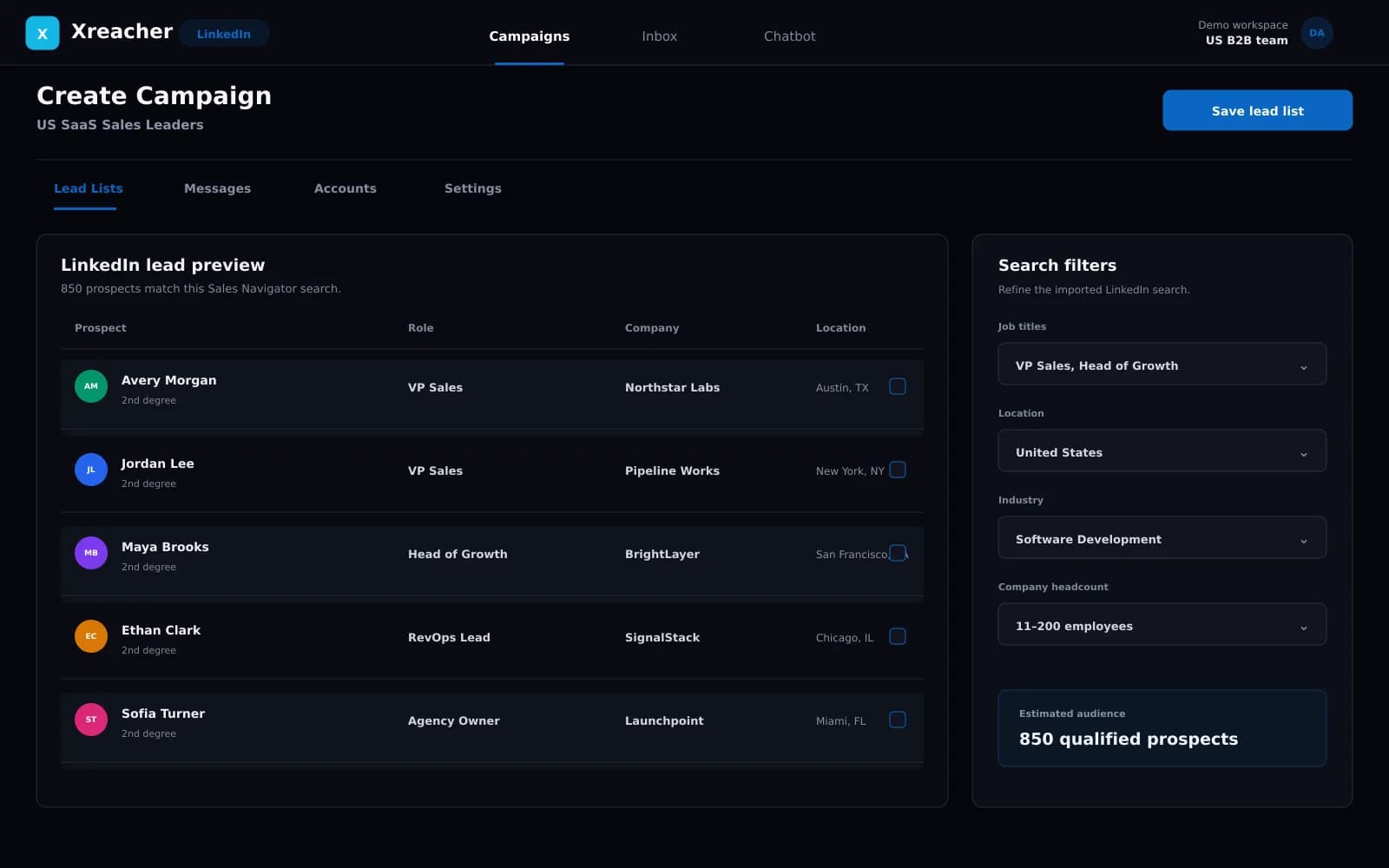
People-search lead lists
Turn LinkedIn people-search results into a campaign list, or import an existing list your team already approved.
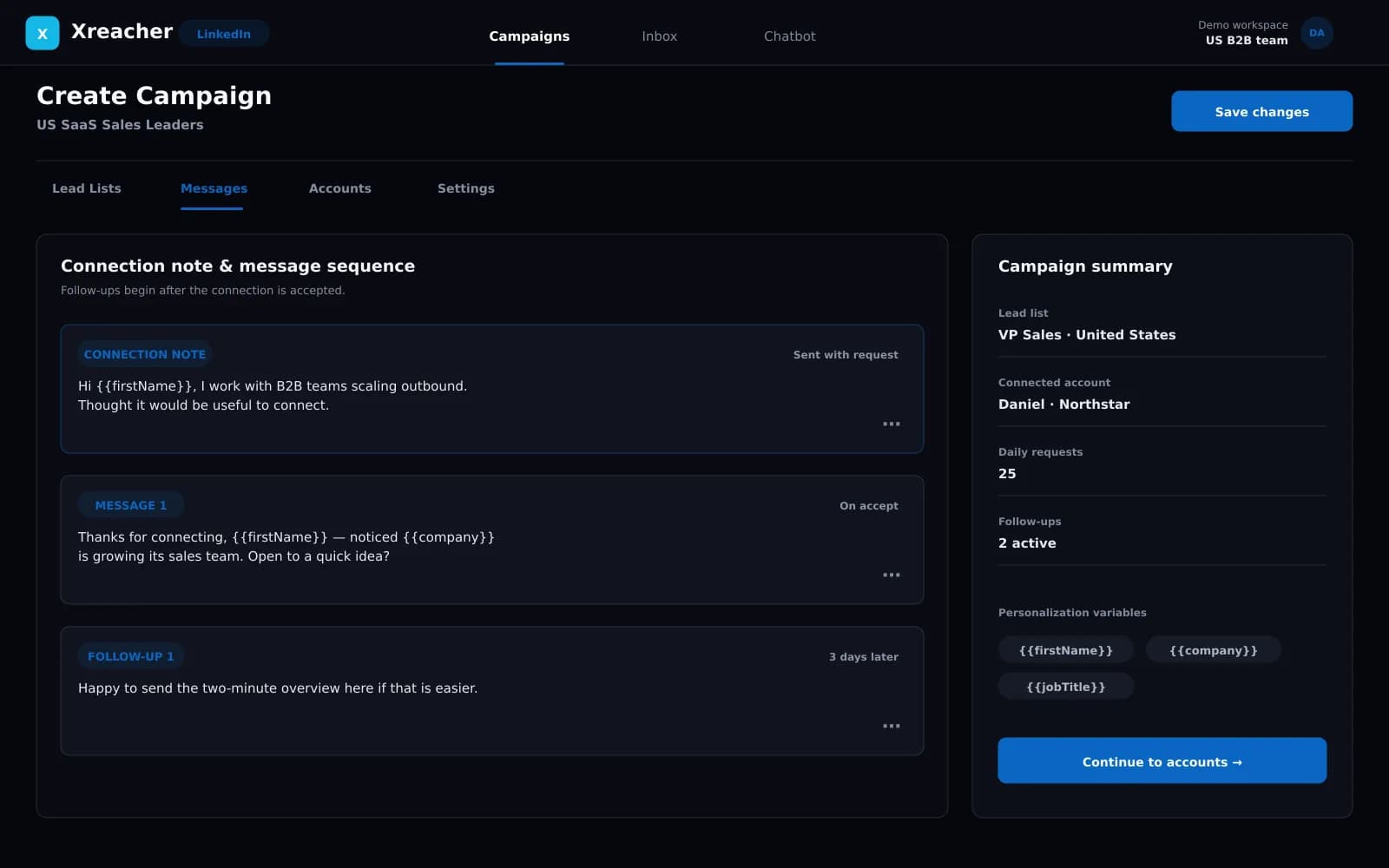
Request-to-follow-up workflow
Send requests with an optional note, then trigger the first message and timed follow-ups after acceptance.
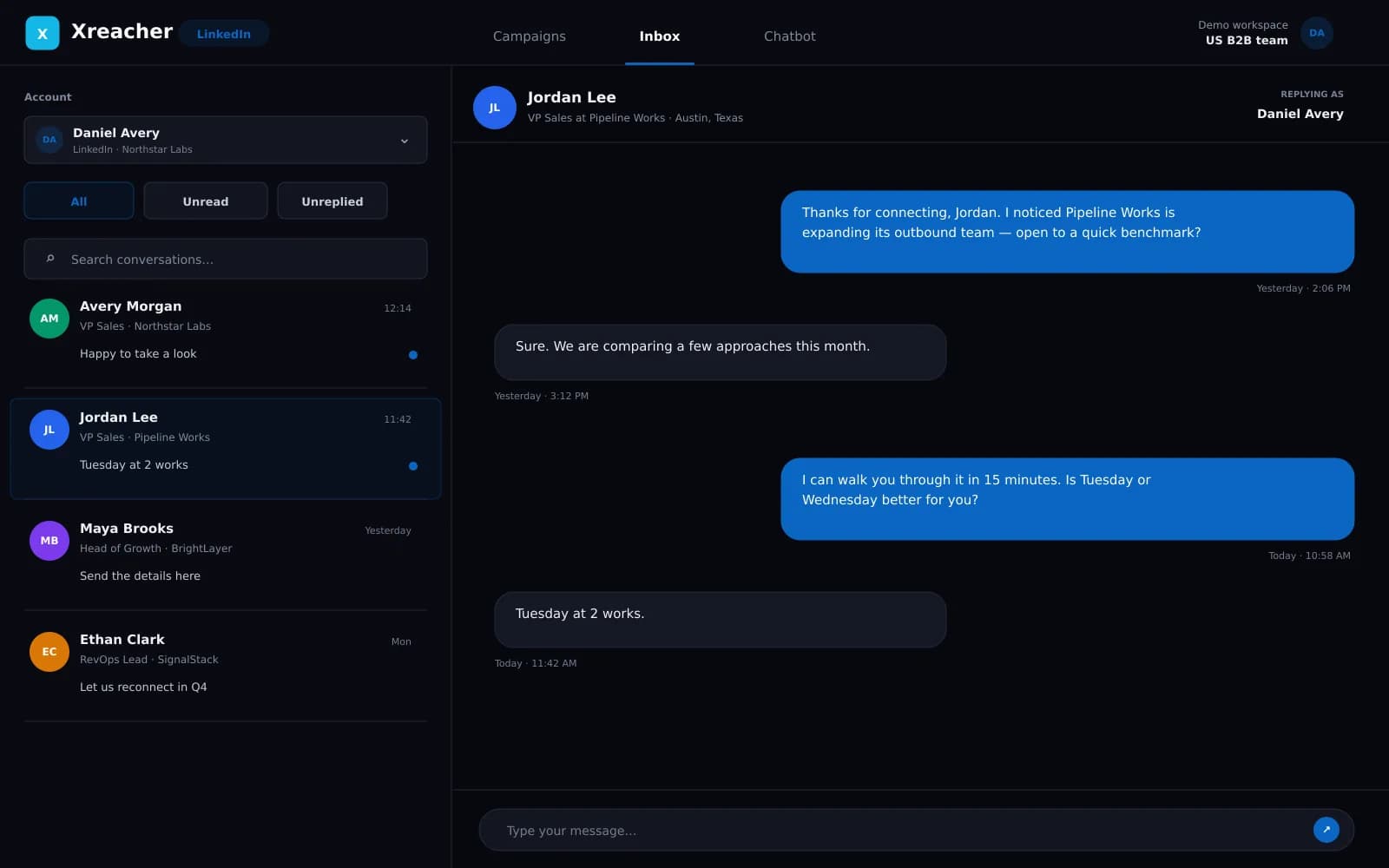
Campaign analytics
Review activity from the same LinkedIn campaign workflow.
Product proof
Screenshots from the actual outreach workflow
These fictional example workspaces reflect Xreacher's LinkedIn workflow: people-search lead lists, optional connection notes, accept-triggered messages, timed follow-ups, and campaign analytics.
Compare workflows, not the longest feature list
A useful shortlist starts with the work your team must complete. Some products concentrate on LinkedIn campaign sequencing. Others emphasize multi-sender agency operations, combine LinkedIn with email, or cover several social channels. Compare whether the tool can begin from your approved audience, how it handles connection notes, what triggers the first message, how pacing is controlled, what campaign analytics are visible, and how multiple connected accounts are licensed. Remove any option that requires unsupported capabilities your team will not use or hides the operating constraint that matters most.
- Lead source: search results, imports, enrichment, or another database
- Workflow: request, optional note, acceptance trigger, and follow-ups
- Operations: pacing, analytics, account model, and channel coverage
Where Xreacher fits
Xreacher fits B2B teams and lead-generation agencies that want one social outbound product across LinkedIn, X, and Telegram. On LinkedIn, the verified workflow covers people-search result sourcing or list import, connection requests with an optional personalized note, the first message after acceptance, timed follow-ups, and campaign analytics. Each seat connects one account, and multi-seat plans can mix supported platforms. Teams looking for white-label client software, a public API, CRM replacement, or contact enrichment should choose tools built for those jobs instead.
- Strong fit: mixed-platform social outbound with one seat per account
- Strong fit: search-to-request-to-follow-up LinkedIn campaigns
- Different category: white-label, CRM, enrichment, or API-led workflows
LinkedIn-first alternatives worth evaluating
HeyReach, Expandi, Dripify, and Waalaxy are common LinkedIn outreach shortlists, but they should not be reduced to one marketing sentence or a stale price. HeyReach is often evaluated for LinkedIn-specific multi-sender operations. Expandi and Dripify are frequently considered for LinkedIn-first campaign workflows. Waalaxy is commonly assessed by teams comparing LinkedIn and email sequencing. Verify current features, limits, and pricing on each vendor's official site, then use Xreacher's dedicated alternative pages for a focused decision framework rather than treating this guide as a substitute for current vendor documentation.
- Compare HeyReach when LinkedIn-specific multi-sender workflow is central
- Compare Expandi and Dripify for LinkedIn-first campaign operations
- Compare Waalaxy when LinkedIn-plus-email workflow is part of the brief
Choose differently for an agency and an internal sales team
An agency should start with account capacity, repeatable launch controls, client-specific campaign separation, and the cost of adding connected accounts. An internal sales team should start with audience ownership, rep workflow, approval, and how outreach activity is reviewed alongside the rest of its sales process. Neither team should buy on a fixed safe-volume claim: LinkedIn allowances vary and all automation remains subject to platform rules. Run a small, relevant campaign first and inspect the real workflow before expanding seats.
- Agencies: prioritize account model and repeatable operations
- Sales teams: prioritize audience quality, approval, and review workflow
- Both: reject unlimited or guaranteed-safe automation claims
A practical LinkedIn outreach tool checklist
Before committing, verify the product against the same checklist in a test environment. Can the team create or import the intended lead list? Can requests run with or without a useful note? Does the first message wait for acceptance? Are follow-up delays configurable? Is pacing visible and account-dependent? Do analytics show enough campaign activity to review the operation? Is each connected account licensed in a way the team understands? Finally, confirm what the product does not provide so that missing CRM, enrichment, inbox, integration, or agency-delivery requirements do not appear after launch.
- Test one complete list-to-acceptance workflow
- Confirm pricing and capacity for every connected account
- Document required capabilities that live outside the outreach tool
FAQs
What is the best LinkedIn outreach tool in 2026?
There is no universal winner. Xreacher is a strong fit for teams that need LinkedIn plus X and Telegram with search-result sourcing, optional notes, accept-triggered follow-ups, analytics, and one account per seat. LinkedIn-only or LinkedIn-plus-email tools may fit narrower requirements better.
Which LinkedIn outreach tools should agencies compare?
A practical shortlist often includes Xreacher, HeyReach, Expandi, Dripify, and Waalaxy. Compare current official capabilities, account licensing, channel coverage, pacing controls, and agency requirements rather than relying on a static ranking.
Does Xreacher support multiple LinkedIn accounts?
Yes. Each seat connects one account, and multi-seat plans can run multiple LinkedIn accounts or mix LinkedIn with X and Telegram.
Should a LinkedIn outreach tool include lead sourcing?
It should either support the sourcing method your team uses or accept the resulting list cleanly. Xreacher can build lists from LinkedIn people-search results or import an existing list.
Are cloud LinkedIn automation tools risk-free?
No. Deployment architecture does not create a zero-risk guarantee. LinkedIn controls account allowances and restrictions, so teams should use relevant targeting, conservative account-dependent pacing, and current platform guidance.