AliasMode Review
AliasMode Review: A Free, Open-Source Antidetect Browser
AliasMode is a free, open-source antidetect browser built by the Xreacher team, the same team behind this review. It gives every account its own fingerprint, cookies, and proxy, with no profile cap and no paid tiers. It runs as a Windows beta today, with macOS available from source only, and it ships an AdsPower-compatible Local API, Playwright automation, and an MCP server for AI agents. It fits Windows-based teams running multiple outreach accounts who want zero licence cost, not teams that already depend on bundled proxies or Android cloud phones.
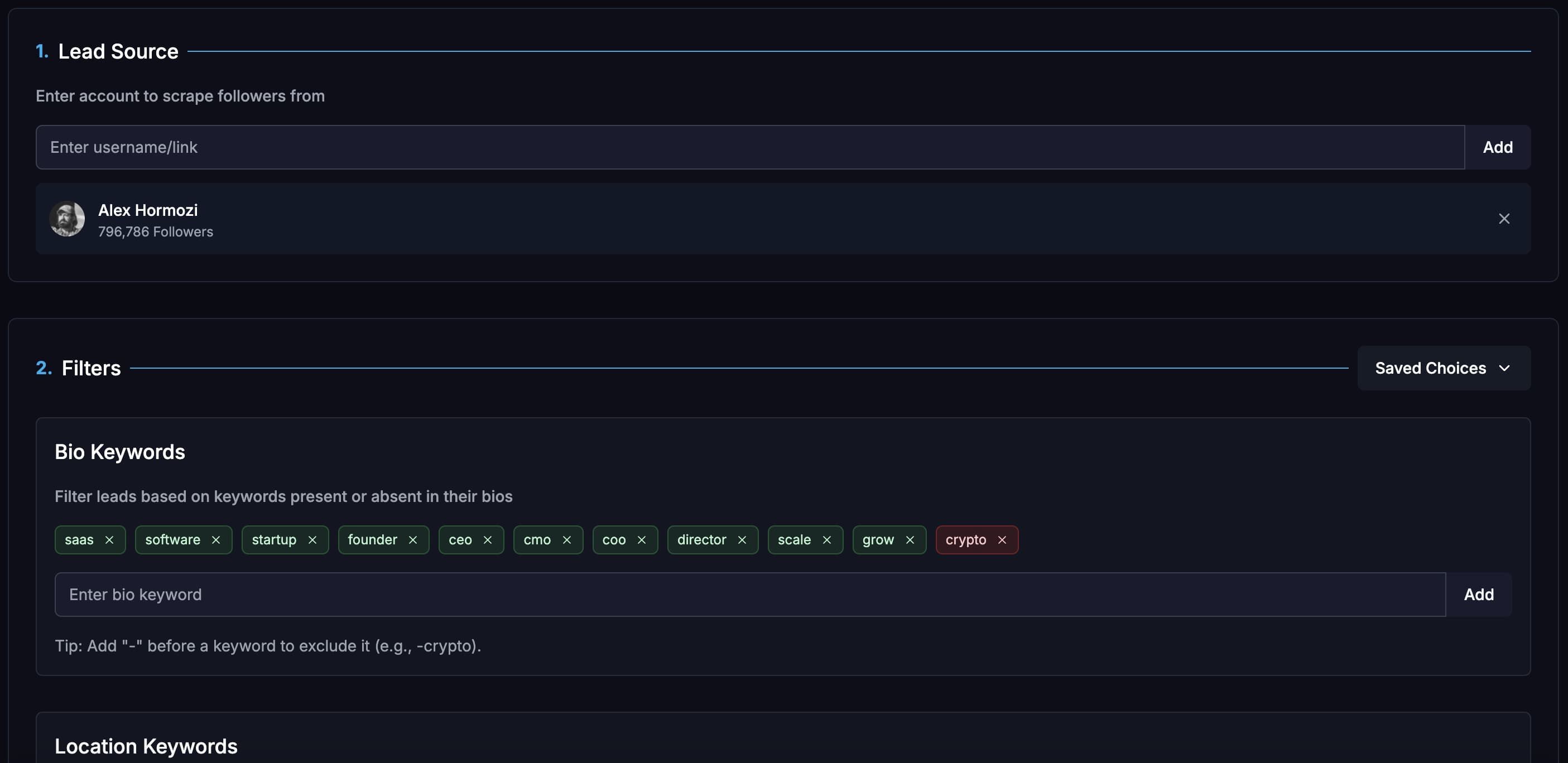
Lead sourcing built in
Build lists from X/Twitter audiences, keywords, imported lists, Telegram groups, and filtered prospect sources.
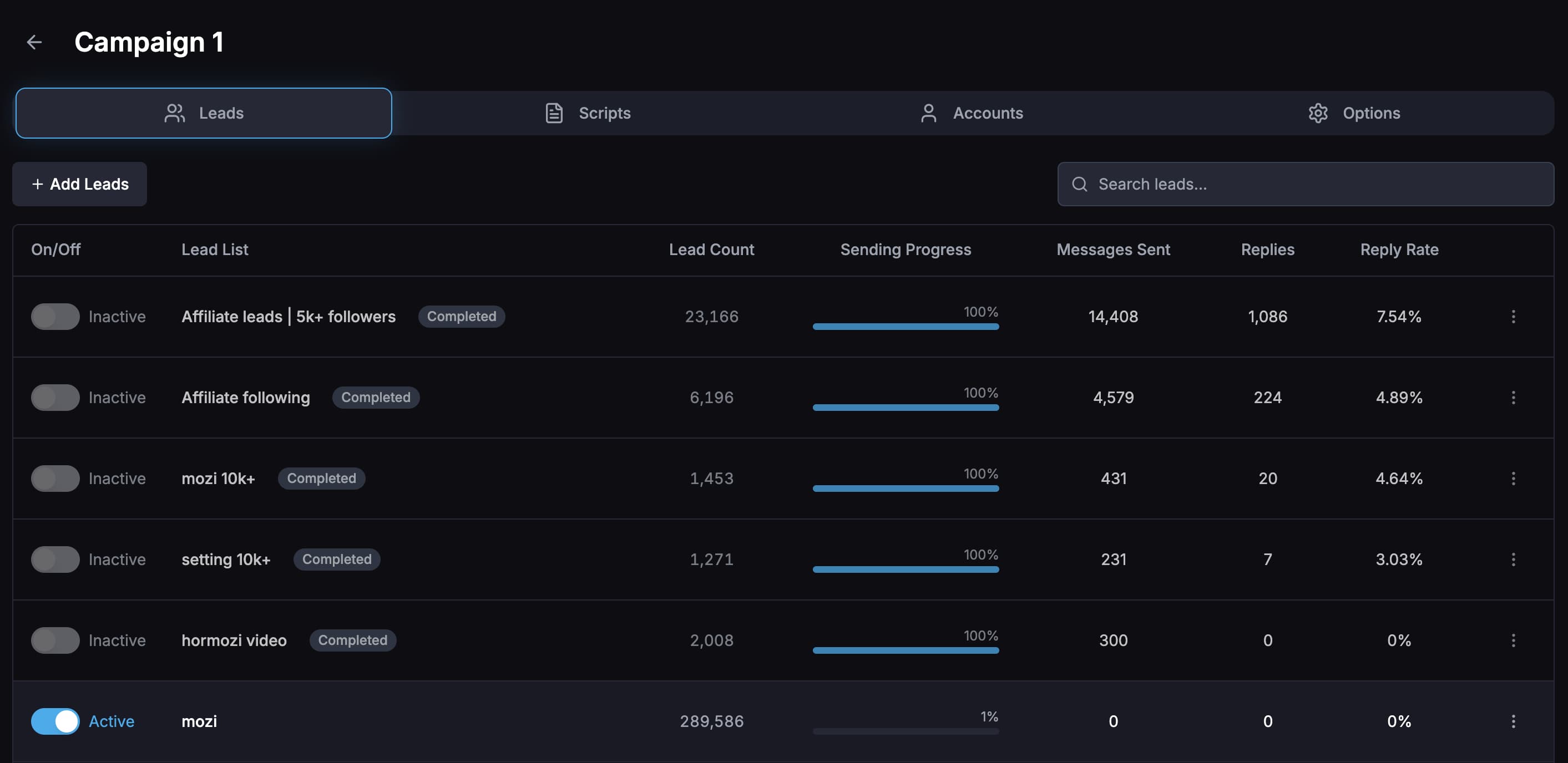
Campaign analytics
Compare reply rates by campaign, opener, message variation, sending account, and lead list so tests are not guesswork.
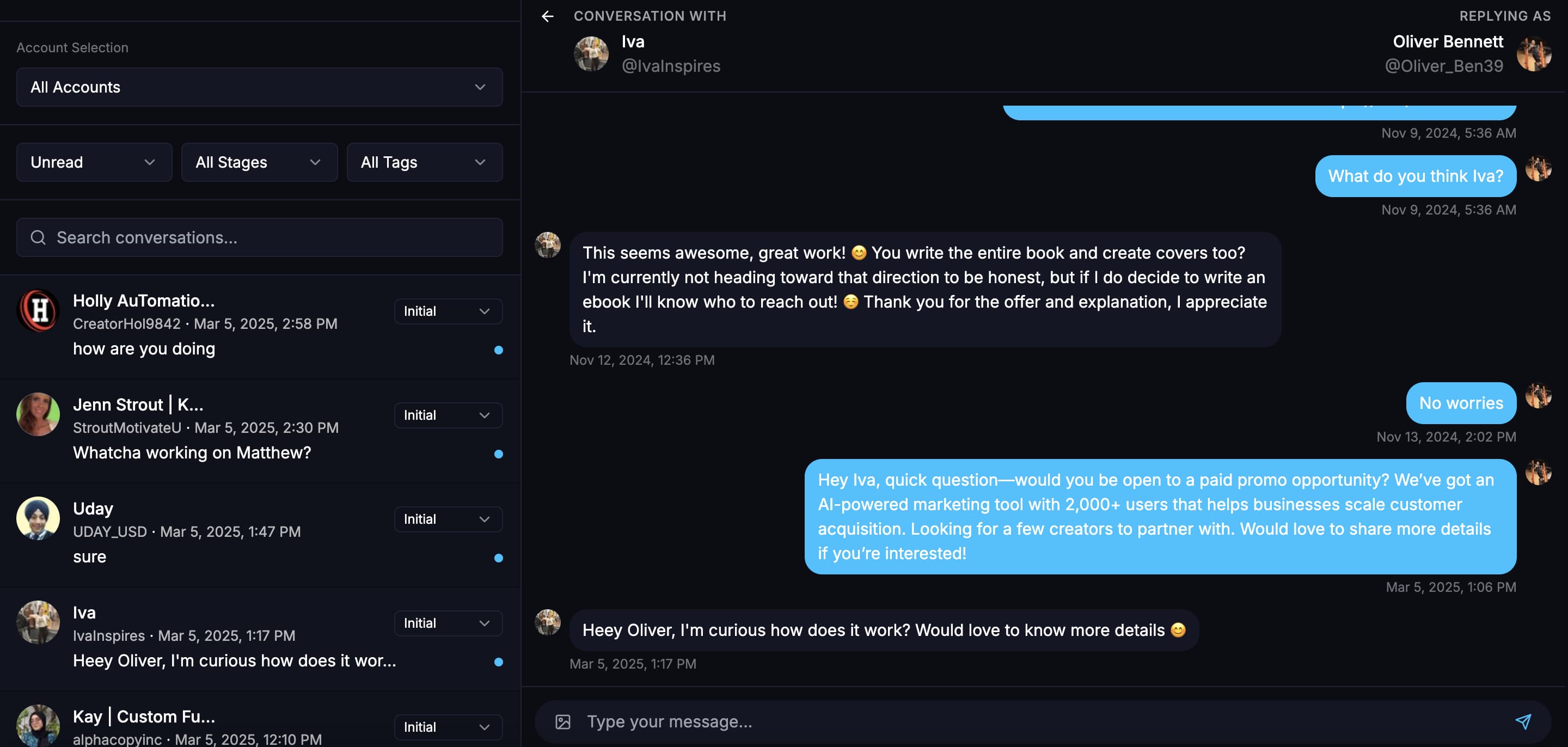
Unibox plus AI replies
Read, filter, mark, and reply to leads from one inbox, or use an AI chatbot to handle goal-based conversations.
Product proof
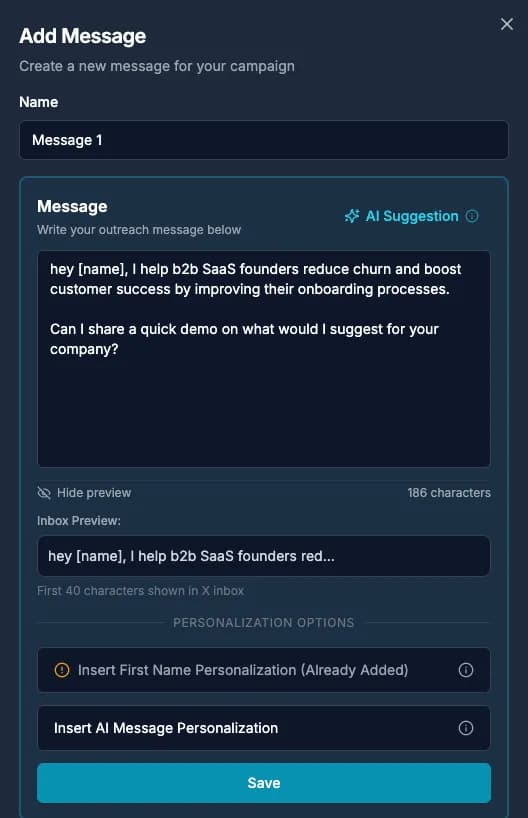
Screenshots from the actual outreach workflow
These pages are built around product workflows Xreacher already shows publicly: lead sourcing, AI-assisted messages, campaign analytics, inbox monitoring, and Telegram outreach.
What AliasMode is
AliasMode is a free, open-source browser profile manager built and maintained by the Xreacher team, the same team behind Xreacher's outreach software. Every profile gets its own fingerprint, cookie jar, local storage, and proxy assignment, so a platform sees each account as a separate device instead of ten logins sharing one browser. Local mode needs no account: profiles live in local SQLite on your computer, and there is no cap on how many you create. AliasMode Cloud is an optional add-on for teams that want profiles synced across a workspace, with owner and member roles and the ability to revoke a lost device. For agencies and solo operators running several X, Telegram, or LinkedIn accounts, that separation is the actual job an antidetect browser is hired to do.
What AliasMode does well
AliasMode's biggest advantage is what it doesn't charge for. The desktop client is Apache-2.0 licensed, so you can read the source on GitHub before you install anything, and there are no paid tiers: the only thing AliasMode sells is support. Automation is included from the first profile, not gated behind a higher plan. The Local API mirrors AdsPower's request shape for profiles, groups, and browser start and stop, so existing AdsPower scripts move over with little rework. Each running profile also exposes CDP, so Playwright attaches directly, and an MCP server in the installer lets an agent like Claude create profiles and drive a browser session on its own.
- Free with no profile cap and no paid tiers
- Apache-2.0 desktop client, source published on GitHub
- AdsPower-compatible Local API and Playwright over CDP
- MCP server so AI agents can create and drive profiles
The tradeoffs to weigh
AliasMode is still a public Windows beta, and that shapes most of its limitations. The installer covers Windows 10, Windows 11, and Windows Server 2019 or newer, and it isn't code signed yet, so Windows SmartScreen can ask for approval on first run. On macOS, AliasMode currently runs from source only, and there is no native Linux app at all. The Chromium engine it drives, CloakBrowser, is a separate third-party component under its own licence; AliasMode bundles it at no extra cost, but it isn't covered by the Apache-2.0 grant on the rest of the app. AliasMode also doesn't sell proxies or Android cloud phones, so you still need a proxy provider, and a different tool entirely if you run mobile device farms.
- Windows beta only; macOS is source-build only, no native Linux app
- Installer isn't code signed yet, so SmartScreen may warn
- CloakBrowser engine is bundled free but licensed separately
- No bundled proxies, no Android cloud phones
Who AliasMode fits
AliasMode fits solo operators and agencies on Windows who run several outreach accounts and want zero software cost while they scale. If you already script against AdsPower's Local API, the compatibility layer means you can point existing tooling at AliasMode with little rework. It's a weaker fit if you need a native Mac app today, want proxies and profiles bundled in one bill, or run mobile app farms that need Android cloud phones, since none of those are part of AliasMode yet. Teams that need those specific features should compare the paid options in our antidetect browser ranking before committing.
- Good fit: Windows-based agencies and solo operators scaling account count
- Good fit: teams already scripting against AdsPower's Local API
- Weaker fit: Mac-native, bundled proxies, or Android cloud phone needs
Pairing AliasMode with Xreacher for X outreach
The setup that holds up over time is simple: one AliasMode profile and one static residential proxy per X account, with nothing shared between them. Create the profile, paste in that account's proxy, and log in only inside that profile so cookies and session data never cross accounts. Let the account warm up with normal activity before it carries campaign volume, then connect it to Xreacher, where per-account daily limits and sending windows keep pacing inside X's own DM caps, about 7 a day on free accounts, 35 on Premium, and 75 on Premium+ as of July 2026. AliasMode handles the browser identity; Xreacher handles the sending and the inbox.
- One profile, one proxy, one account, no exceptions
- Warm up before connecting an account to a campaign
- Xreacher enforces per-account daily limits within X's DM caps
Price and verdict
AliasMode's desktop client costs nothing at any profile count, and local profiles carry no software fee. AliasMode Cloud, the team-sync layer, is also free, and the only paid AliasMode offering is support. That undercuts every commercial profile manager in this space, where 100 profiles typically run $36 to $89 a month. The catch is maturity, not price: it's a beta, Windows-only in practice, and missing a few features paid tools bundle in. For Windows-based outreach teams who want a free, auditable profile manager and don't need Mac support or bundled proxies today, AliasMode is worth installing. Everyone else should weigh it against the paid alternatives first.
FAQs
Is AliasMode really free?
Yes. The desktop client has no profile cap and no paid tiers, so a team running 10 profiles and one running 1,000 pay the same amount: nothing. The only thing AliasMode charges for is support. The CloakBrowser engine it runs on is bundled at no extra cost, even though it carries its own separate licence from the Apache-2.0 desktop app.
Is AliasMode open source?
The desktop client, including the dashboard, the local runtime, the Local API, and the MCP server, is open source under Apache-2.0, and the code is public on GitHub. The CloakBrowser engine it drives is a third-party component under its own licence, bundled at no cost but not covered by that Apache-2.0 grant.
Does AliasMode run on Mac or Linux?
Not as a native app yet. AliasMode ships as a Windows beta installer covering Windows 10, 11, and Windows Server 2019 or newer. On macOS it currently runs from source only, and there is no Linux build. Windows-based teams get the full feature set today; Mac and Linux users should wait or use a paid alternative.
Can I automate AliasMode with scripts or AI agents?
Yes. Its Local API mirrors AdsPower's request shape for profiles, groups, and browser start and stop, so existing AdsPower automation can move over with little rework. Each running profile exposes CDP, so Playwright attaches directly, and AliasMode ships an MCP server in the installer, letting an agent like Claude create profiles and drive a session on its own.
Do I still need a proxy with AliasMode?
Yes. AliasMode separates cookies, storage, and fingerprint per profile, but it doesn't change your IP address, and it doesn't sell proxies. Assign one HTTP or SOCKS5 proxy per profile; AliasMode routes WebRTC through that proxy and sets the profile's timezone from its location, but you still bring your own dedicated static residential IPs.
Can I use AliasMode with Xreacher for X outreach?
Yes. The pattern that works is one AliasMode browser profile and one static residential proxy per X account, with no sharing between accounts. Log in and warm the account up inside its own profile, then connect it to Xreacher, which paces sends within X's daily DM caps and keeps replies from every account in one inbox.
Last updated 2026-09-24