LinkedIn Lead Generation
LinkedIn Lead Generation From Search to Follow-Up
LinkedIn lead generation works best as one connected workflow: define the right people in LinkedIn search, turn those results into a campaign list, send measured connection requests, and follow up after each prospect accepts. Xreacher connects those steps for B2B sales teams and lead-generation agencies without promising artificial volume or a risk-free shortcut.
People-search lead lists
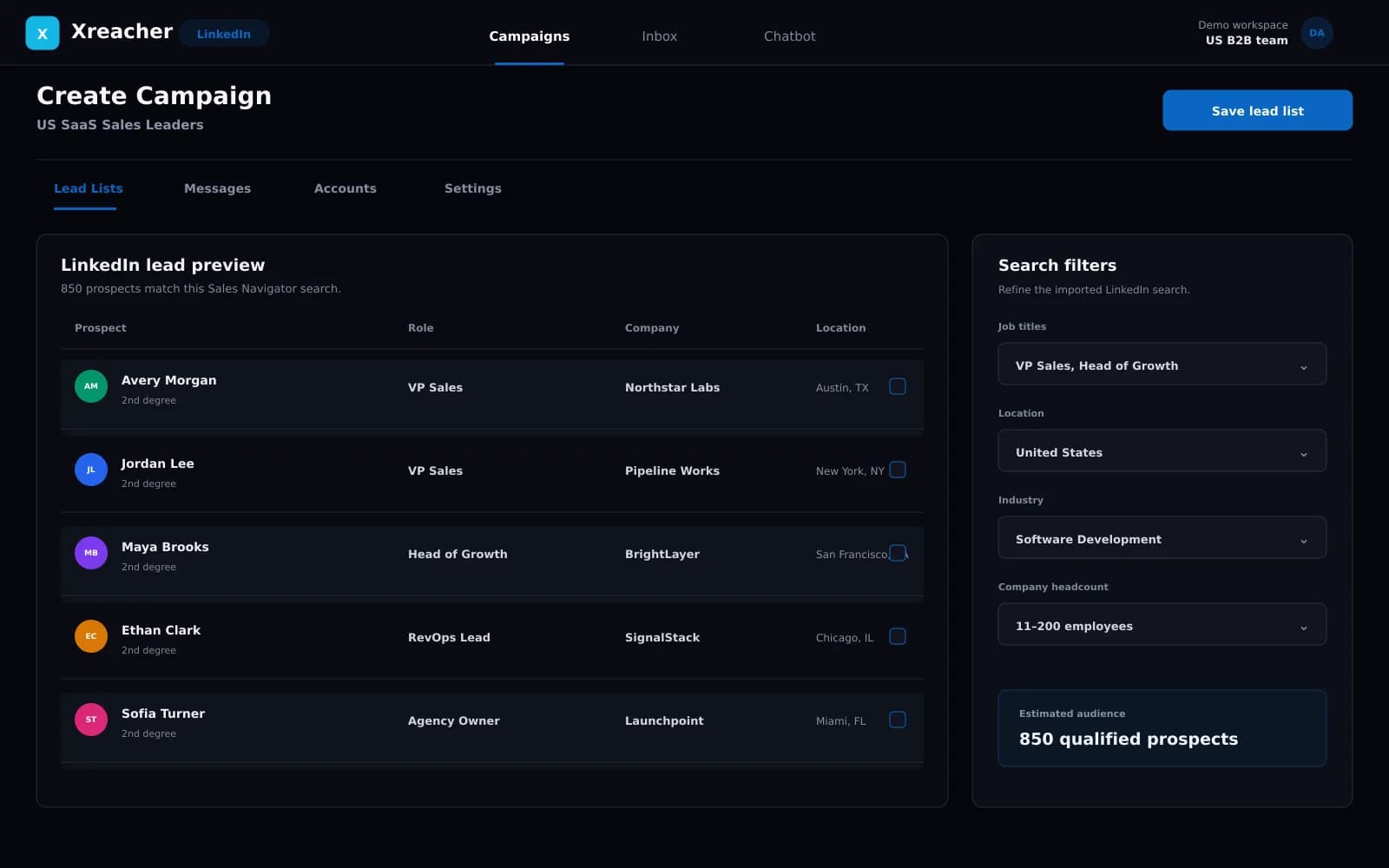
Turn LinkedIn people-search results into a campaign list, or import an existing list your team already approved.
Request-to-follow-up workflow
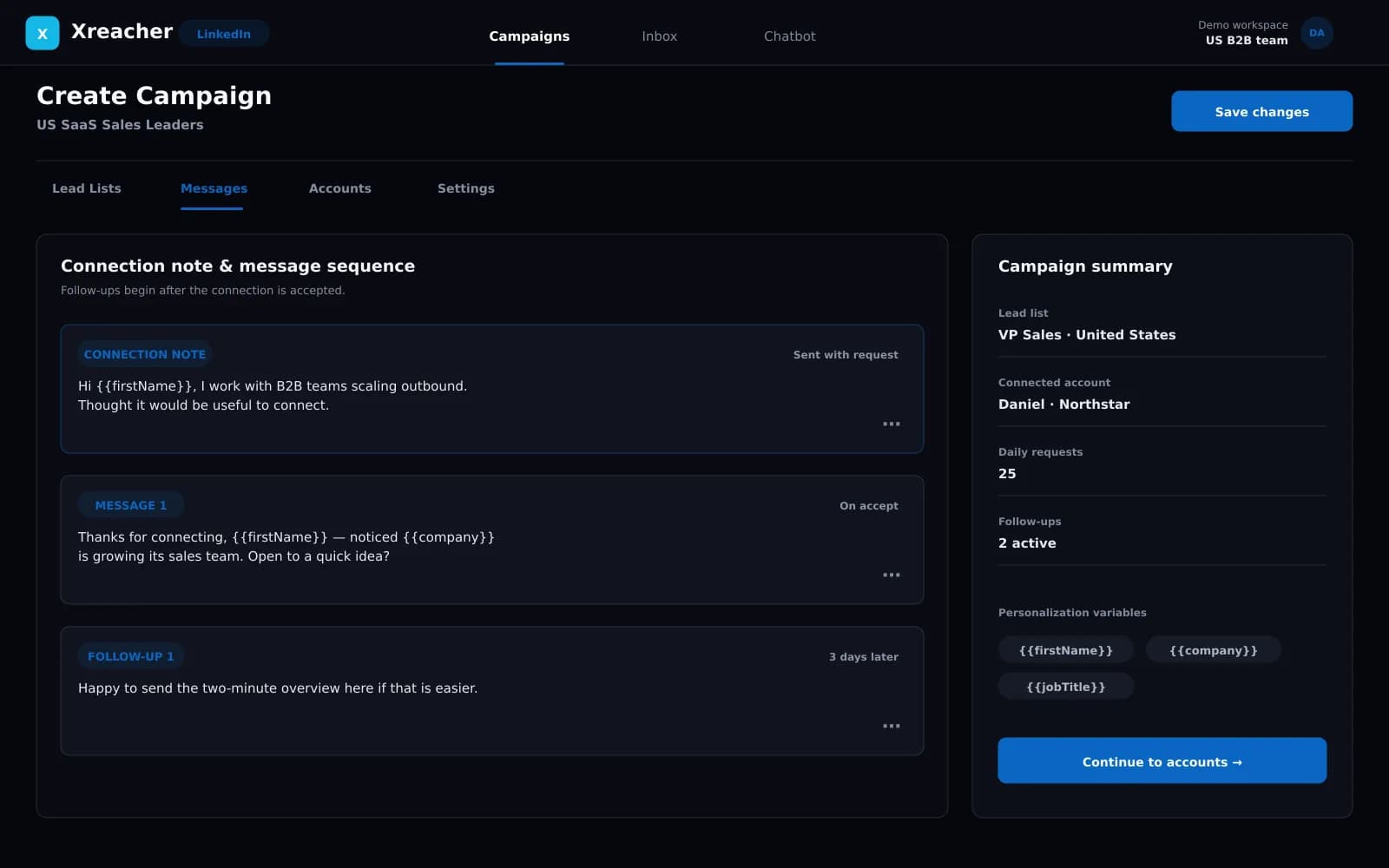
Send requests with an optional note, then trigger the first message and timed follow-ups after acceptance.
Campaign analytics
Review activity from the same LinkedIn campaign workflow.
Product proof
Screenshots from the actual outreach workflow
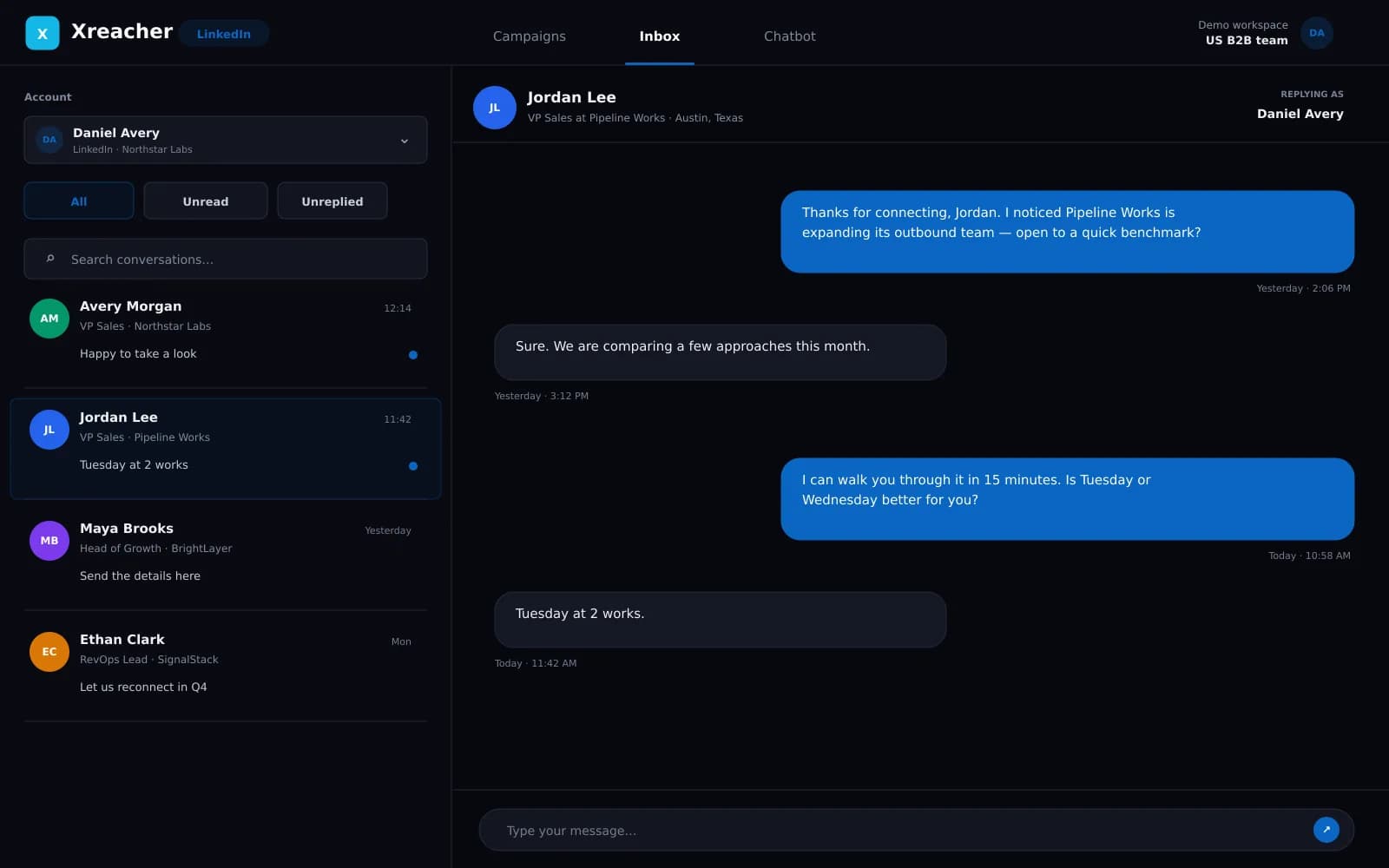
These fictional example workspaces reflect Xreacher's LinkedIn workflow: people-search lead lists, optional connection notes, accept-triggered messages, timed follow-ups, and campaign analytics.
Start with a LinkedIn people search, not a generic database
The first job is deciding who should enter the campaign. Build a standard LinkedIn people search around the role, company profile, geography, and market you actually sell to. Xreacher turns the result pages from that search into a lead list, so the campaign begins with the targeting work you already did on LinkedIn instead of a broad list assembled elsewhere. If your team already has an approved list, you can import it instead. Xreacher is not a contact-enrichment database: it moves search results or an existing list into an outreach workflow.
- Define the ICP in LinkedIn people search before automating outreach
- Turn search-result pages into a campaign-ready lead list
- Import an existing list when sourcing is already complete
Move qualified prospects into a measured request queue
Once the list is ready, the campaign works through prospects with connection requests at a conservative, account-dependent pace. A request can include an optional connection note, or it can be sent without one. The important decision is relevance, not maximum throughput: a narrow list and a clear reason to connect give the follow-up sequence a better starting point than a large, loosely targeted queue. LinkedIn allowances vary by account and can change, so Xreacher does not promise a fixed safe request number or bypass platform limits.
- Use an optional personalized note when it adds useful context
- Keep request pacing conservative and visible at the account level
- Prioritize list quality over an arbitrary daily target
Let acceptance trigger the next stage
A connection acceptance is the signal that moves a prospect from request to conversation. In Xreacher, the first message can send after the prospect accepts, followed by additional messages on the delays configured in the sequence. That removes the spreadsheet handoff where a rep checks new connections, copies a template, and tries to remember when to follow up. The sequence should remain short and specific: refer to the reason for connecting, introduce one relevant problem, and make the next step easy to answer.
- Trigger the first campaign message after acceptance
- Schedule timed follow-ups from one reusable sequence
- Keep the sequence aligned with the original targeting reason
Build a repeatable operating loop for sales teams and agencies
Campaign analytics let a team review overall campaign activity without presenting a fictional LinkedIn benchmark. Internal sales teams can use that visibility to review their own audiences and offers. Agencies can repeat the same operating model across connected accounts by assigning one account per seat and separating work through campaigns and lead lists. Multi-seat plans can mix LinkedIn, X, and Telegram accounts, which is useful when a client or internal segment performs better on another social channel. The workflow stays the same: source carefully, launch conservatively, review the campaign, and refine the next list.
- Review campaign and lead-list activity before the next launch
- Use one connected account per seat with clear campaign ownership
- Mix LinkedIn, X, and Telegram seats when the audience calls for it
FAQs
What is LinkedIn lead generation automation?
It connects the repeatable parts of finding and contacting prospects: turning LinkedIn people-search results into a list, sending connection requests, and starting a message sequence after acceptance. Targeting, offer quality, and human judgment still determine whether the outreach is relevant.
Do I need LinkedIn Sales Navigator for lead generation?
No. Xreacher can build a lead list from standard LinkedIn people-search results, and you can also import an existing list. Sales Navigator may be useful for a team's own research process, but it is not required for the Xreacher workflow.
Can Xreacher send connection requests automatically?
Yes. A campaign works through its lead list with connection requests at conservative, account-dependent pacing. Requests can include an optional personalized note or be sent without one.
When do LinkedIn follow-up messages begin?
The first campaign message begins after a prospect accepts the connection request. Additional follow-ups run on the delays configured in the campaign sequence.
Can a lead-generation agency run more than one LinkedIn account?
Yes. Each seat connects one account, and multi-seat plans can run multiple LinkedIn accounts or mix LinkedIn with X and Telegram. Xreacher does not claim white-label client portals or agency CRM features; campaigns, lists, seats, and analytics are the operating tools.
Last updated 2026-08-05