LinkedIn Lead Sourcing
A LinkedIn Lead Scraper Built Around Search Results
A LinkedIn lead scraper built into Xreacher turns people-search result pages into a lead list for outreach. You define the audience in LinkedIn first, bring those results into a campaign, and then decide how to handle requests and follow-ups. It is a focused campaign-sourcing workflow, not a data-enrichment service, CRM, or unrestricted profile-extraction API.
People-search lead lists
Turn LinkedIn people-search results into a campaign list, or import an existing list your team already approved.
Request-to-follow-up workflow
Send requests with an optional note, then trigger the first message and timed follow-ups after acceptance.
Campaign analytics
Review activity from the same LinkedIn campaign workflow.
Product proof
Screenshots from the actual outreach workflow
These fictional example workspaces reflect Xreacher's LinkedIn workflow: people-search lead lists, optional connection notes, accept-triggered messages, timed follow-ups, and campaign analytics.
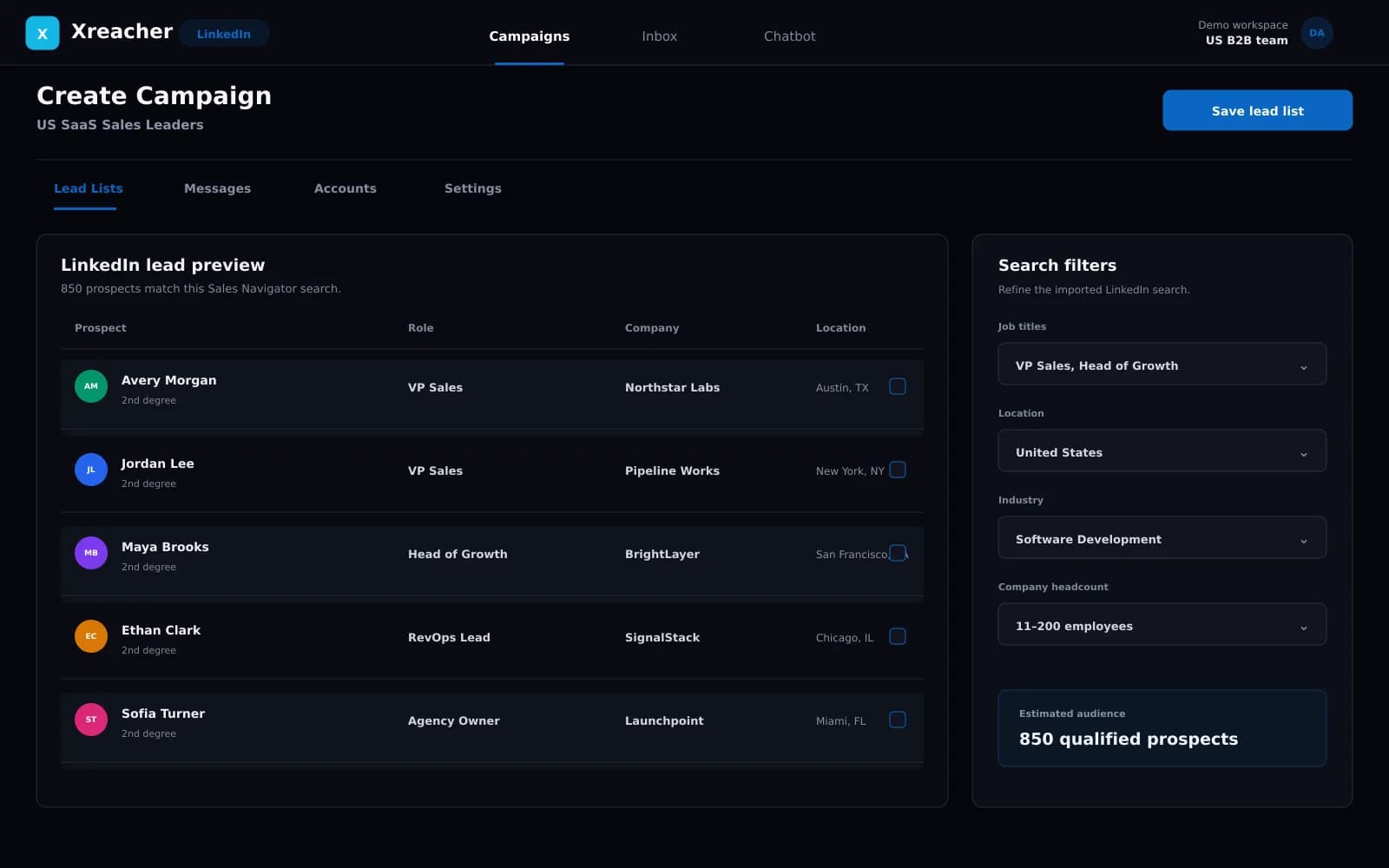
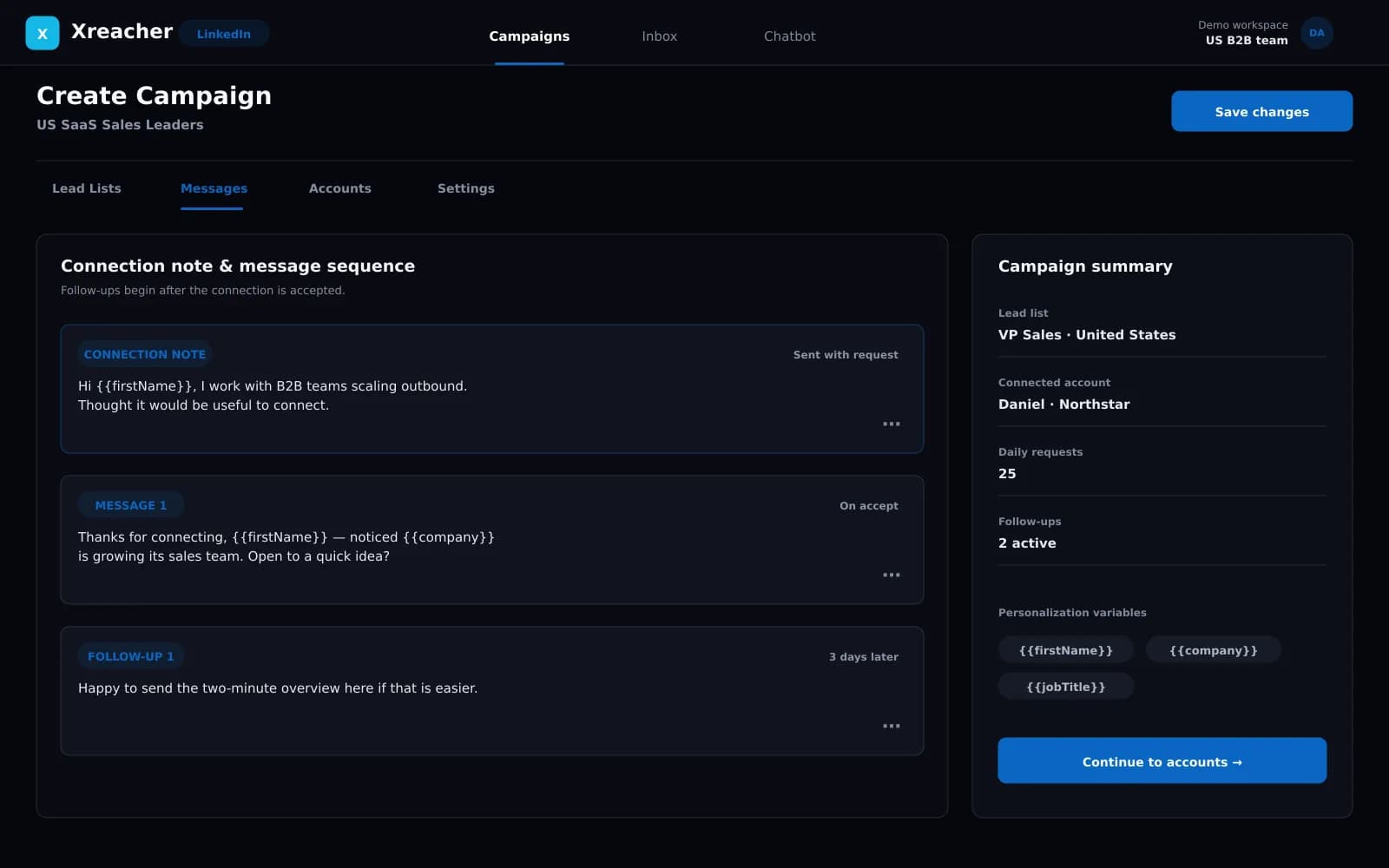
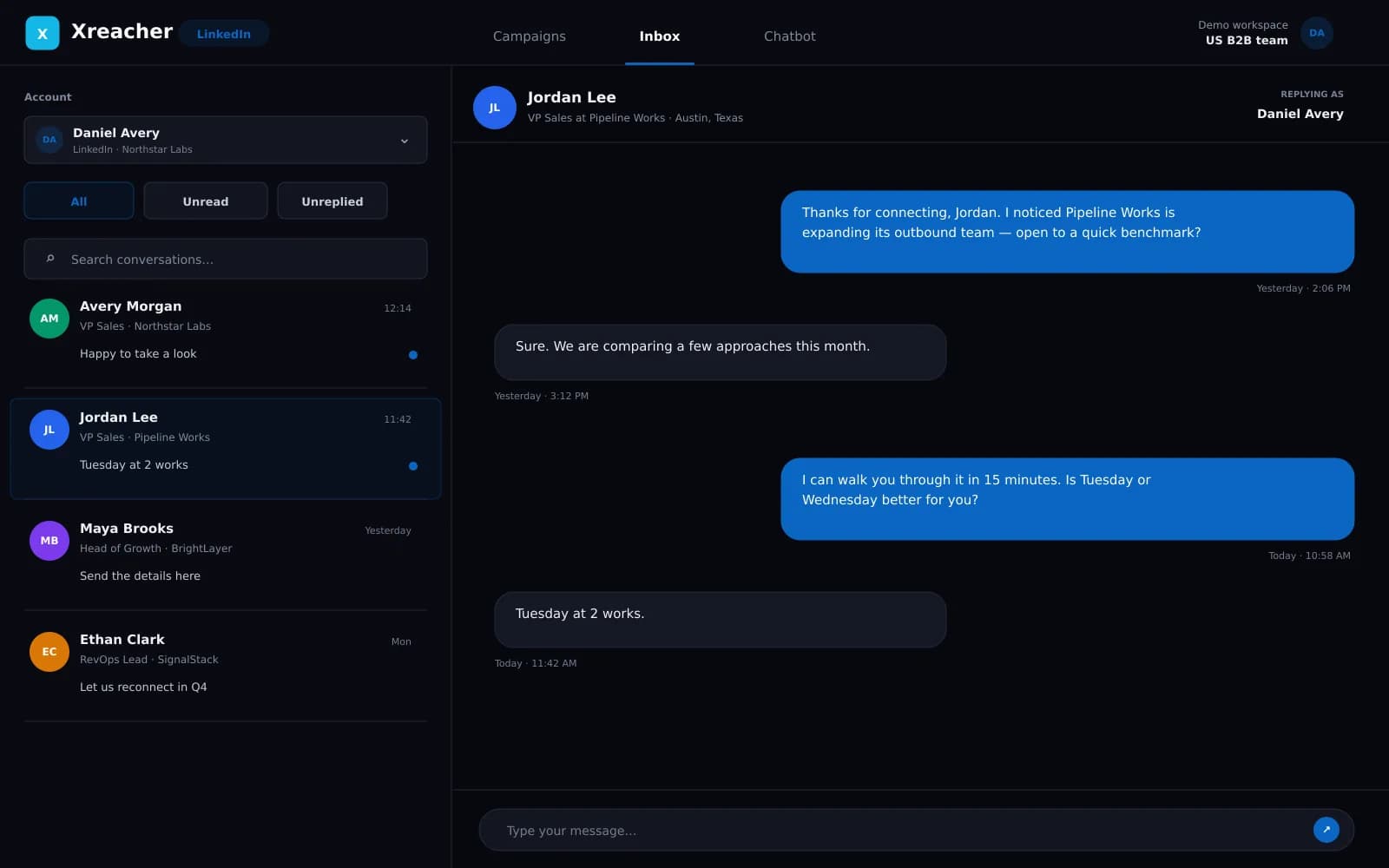
The search defines the quality of the list
A scraper cannot rescue a poorly defined audience. Start by building a LinkedIn people search that reflects the real buying committee: role, seniority, company type, geography, and any other criteria available in the search experience you use. Review the results manually before turning them into a campaign list. If the first page contains irrelevant profiles, tightening the search is more valuable than collecting additional pages. Xreacher preserves that search-first model: LinkedIn supplies the result set, and Xreacher turns it into the list used by the outreach campaign.
- Define the audience inside LinkedIn before collecting results
- Review sample profiles before scaling the list
- Treat search quality as the primary targeting control
Move people-search results into a campaign list
After the search is ready, Xreacher collects the people shown in the result pages into a lead list. That list becomes a reusable campaign input rather than a spreadsheet that has to be copied between tools. The workflow is deliberately narrow: source the prospects, attach the list to a campaign, and then configure requests and messages separately. Keeping sourcing separate from sequencing makes it easier to inspect who is being contacted before the connected account takes any action.
- Create a campaign-ready list from LinkedIn search results
- Inspect the audience before enabling request activity
- Reuse clear lead-list names across campaign operations
Import an existing list when research already happened
Some teams already have an approved prospect list from account research, event follow-up, internal territory planning, or another compliant workflow. In that case, importing the list avoids repeating sourcing work. The same accuracy rule applies: confirm that the profiles fit the campaign and that the list is current enough for the offer. Xreacher does not promise to append emails, phone numbers, firmographic data, or missing contacts. Its role is to move the list into the LinkedIn connection workflow, not replace a data provider.
- Import an existing list instead of scraping a new search
- Validate relevance and freshness before launching
- Do not treat Xreacher as an enrichment or contact-data service
Hand the list to responsible outreach controls
A sourced list is only the first stage. Connection requests still need a relevant reason, optional note, and conservative pacing that reflects the connected account's current allowance. LinkedIn can change or restrict invitation activity, and no scraper or automation tool makes those rules disappear. Xreacher carries the list into request and accept-triggered follow-up campaigns while keeping the pace account-dependent. For policy and risk guidance, use the responsible outreach page as the broader reference rather than relying on a fixed volume claim.
- Use the list with optional personalized connection notes
- Keep pacing dependent on the connected account
- Review responsible-outreach guidance before scaling
FAQs
What does the Xreacher LinkedIn lead scraper collect?
It turns people shown in LinkedIn search-result pages into a lead list for an Xreacher campaign. The audience comes from the search you define in LinkedIn.
Does the LinkedIn lead scraper enrich profiles with emails or phone numbers?
No. Xreacher does not claim email or phone enrichment, firmographic append, or contact-database functionality. It creates an outreach list from LinkedIn search results or an existing imported list.
Do I need Sales Navigator to scrape a LinkedIn search?
No. Standard LinkedIn people-search results can be used. Sales Navigator may support a team's separate research process, but it is not required by Xreacher.
Can I import my own LinkedIn lead list?
Yes. If your team already has a researched list, you can import it and use it as the audience for a campaign instead of collecting a new search.
What happens after the lead list is created?
Attach the list to a campaign, configure optional connection notes, select the connected account, set conservative pacing, and write the messages that should begin after a prospect accepts.
Last updated 2026-08-07