Comment to DM
Comment to DM on X (Twitter): Two Ways to Message Your Commenters
Comment to DM on X means sending a DM to the people who reply to your post, like the "comment GUIDE and I'll send it to you" posts you see every day. Xreacher gives you two ways to do it. Post Engagement automatically messages people who like, comment on, or repost your posts, as an ongoing campaign. Or scrape the commenters of one specific tweet and DM that exact list. Most people running a "comment to get it" post want the second option.
Lead sourcing built in
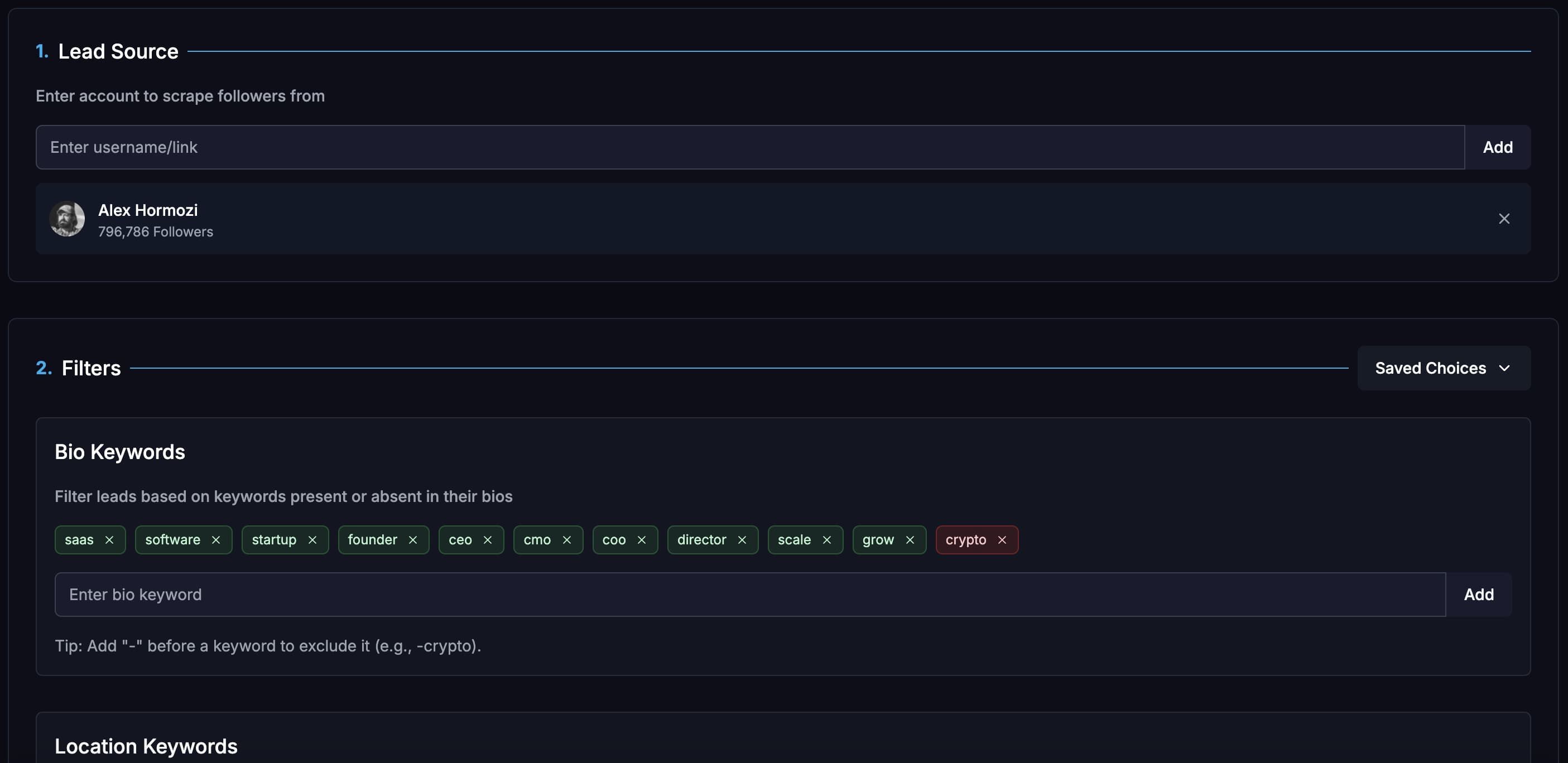
Build lists from X/Twitter audiences, keywords, imported lists, Telegram groups, and filtered prospect sources.
Campaign analytics
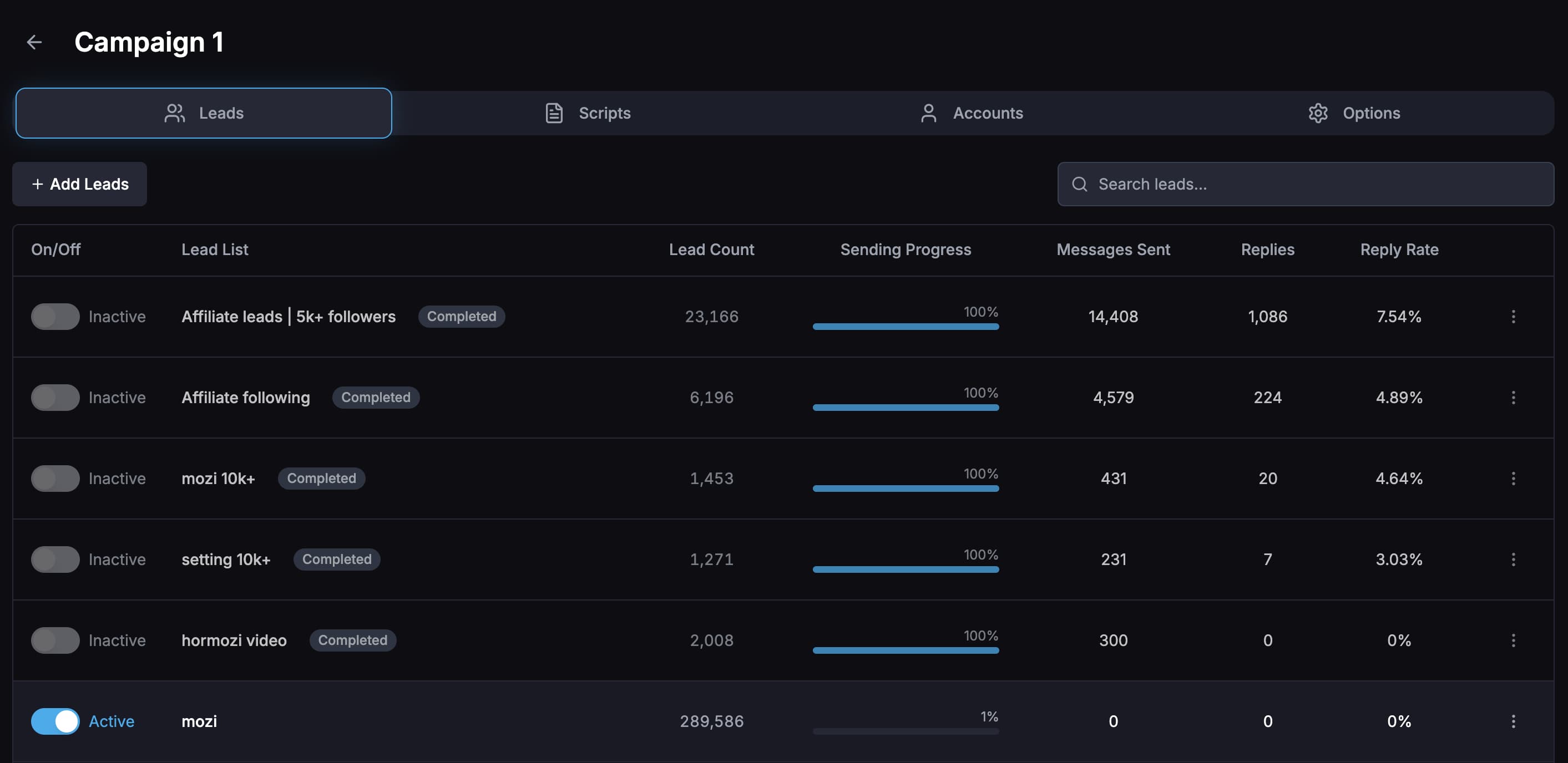
Compare reply rates by campaign, opener, message variation, sending account, and lead list so tests are not guesswork.
Unibox plus AI replies
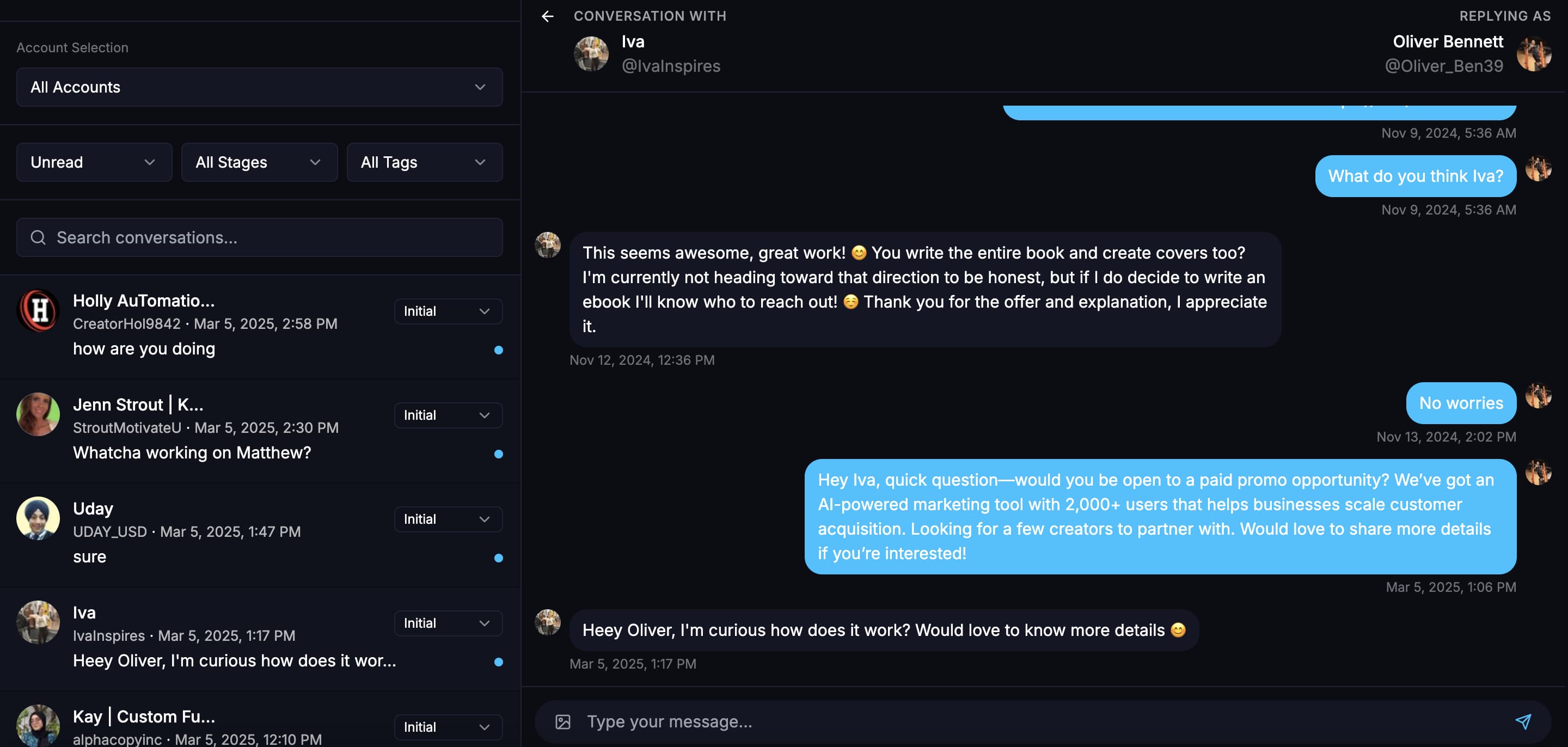
Read, filter, mark, and reply to leads from one inbox, or use an AI chatbot to handle goal-based conversations.
By the numbers
What 43.7M real cold DMs say
Figures below come from the Xreacher Cold DM Benchmarks (H2 2026), computed across every X/Twitter campaign sent through Xreacher in the 180 days ending July 3, 2026, aggregated, anonymized, with the methodology published on that page.
42%
Replies arriving within 24 hours
42% of replies to a single-message cold DM arrive within 24 hours, 62% within three days, and 22.6% only after a full week, long after most senders stop watching the thread.
See the data~4x
Reply-rate lift from following before DMing
Within campaigns using follow-before-DM, followed leads replied at ~4x the rate of leads who were only DMed (1.42% vs 0.35%). Correlational, scoped within-campaign.
See the dataProduct proof
Screenshots from the actual outreach workflow
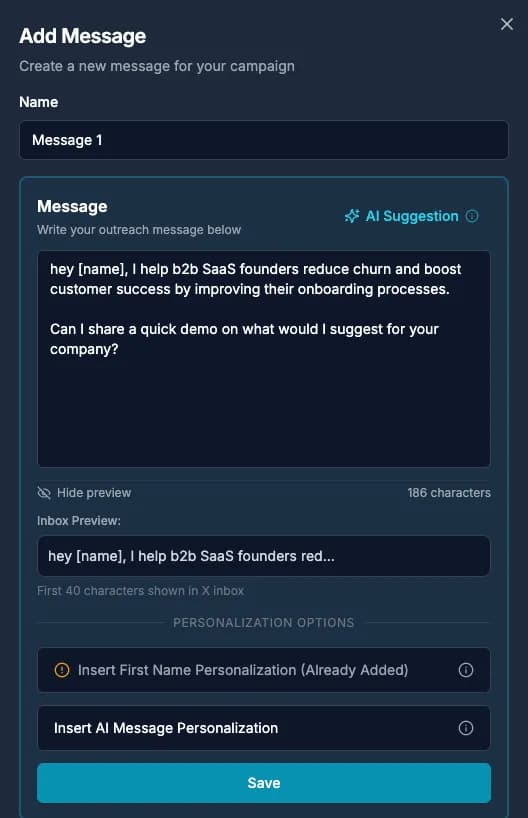
These pages are built around product workflows Xreacher already shows publicly: lead sourcing, AI-assisted messages, campaign analytics, inbox monitoring, and Telegram outreach.
How "comment to get it" posts work on X
You post something people want: a guide, a template, a discount, a free call. You ask them to comment a word to get it. The comments push the post in the algorithm, and every commenter has raised a hand. The hard part is the follow-through. Sending 200 DMs by hand takes hours, and people who wait a day for their link often forget they asked. X has no built-in way to DM commenters automatically, so you need a tool to close the loop while interest is high.
- The post collects comments and reach at the same time
- Every commenter has asked for something, so the DM is expected
- Speed matters: send the DM while they still remember the post
Option 1: Scrape one tweet and DM its commenters
This is the closest match to a "comment to get it" post. Paste the tweet into the Xreacher scraper and choose which interactions to collect: comments, likes, reposts, or any mix. For a comment-to-get-it post, pick comments. Xreacher builds a lead list of the people who replied, and you run a campaign that sends each of them the resource they asked for. You can use this on your own tweets, and on any public tweet in your niche, for example a competitor's launch post or a big account's thread on your topic.
- Pick one tweet and collect comments, likes, reposts, or a mix
- Build a list of exactly the people who replied to that post
- Works on your own tweets and on any public tweet in your niche
- Add filters like bio keywords or follower range before you send
Option 2: Message everyone who engages, automatically
If you post often and want every engager to get a DM without building a list each time, use Post Engagement as the campaign source. It reaches people who like, comment on, or repost your account's posts. Choose the interaction types, then choose existing engagement, new engagement, or both. The campaign keeps running as new people engage. This is the right fit for creators and founders who want a welcome message for anyone interacting with their content, not only one campaign post.
- Ongoing: new engagers enter the campaign as they interact
- Choose likes, comments, reposts, or any combination
- Existing engagement, new engagement, or both
- Covers all your posts, not one tweet at a time
Which option should you use?
Use Option 1 for a specific "comment to get it" post, a giveaway, a launch, or when you want the commenters of someone else's tweet. You control exactly which post and which interactions. Use Option 2 when you want a standing welcome flow for everyone who engages with your content. Many users run both: an ongoing Post Engagement campaign in the background, plus a scraped list for each lead-magnet post. One thing to know: Xreacher does not filter by the word someone commented. For a comment-to-get-it post that does not matter, because the people commenting are the people asking.
- One post, giveaway, or competitor tweet: scrape the tweet
- Every engager on every post, ongoing: Post Engagement
- Both can run side by side in the same workspace
- No filtering by the exact comment word
What our customer data shows about engagers
People who engage with a post are some of the best people to message. Across Xreacher customers, messaging people who liked, commented on, or reposted a relevant post earned a 5.0% reply rate, about 4x the 1.21% average. Followers of other accounts, the most common source, earned 0.84%. Senders whose own account had 2,000 or more followers earned about 4.4x the average. Source: Xreacher customer data, 2.1M X DM threads from 360 users, March to September 2026. Correlational, not a promise for your account.
- Post engagers: 5.0% reply rate, about 4x the average
- Followers of other accounts: 0.84%
- Senders with 2k+ followers: about 4.4x the average
Write the DM they asked for, then keep the conversation going
Deliver what you promised in the first message: the link, the guide, the code. Keep it short and personal, and ask one easy question so the DM turns into a conversation, not a drop-off. Add a follow-up for people who do not answer. Replies land in the Unibox, one inbox across all your X accounts, and the AI reply agent can answer questions and move people toward a call or an offer. X limits DMs per account per day (about 7 on free accounts, 35 on Premium, 75 on Premium+), so a big post may take a few days to fully reach.
- Deliver the promised resource in the first DM
- Ask one easy question to start a real conversation
- Follow up once, and handle replies in the Unibox or with the AI agent
- Plan around X's daily DM caps for posts with many comments
FAQs
Can you do comment to DM on X (Twitter)?
Yes, with a tool. X has no built-in comment-to-DM feature. In Xreacher you can scrape the commenters of one tweet and DM that list, or use Post Engagement to automatically message people who like, comment on, or repost your posts.
How do I DM everyone who commented on my tweet?
Paste the tweet into the Xreacher scraper, select comments as the interaction type, and build the list. Then create a campaign with the message you want to send. Everyone who commented gets the DM, paced within X's daily DM limits.
Can I DM people who commented on someone else's tweet?
Yes. The scraper works on any public tweet, so you can collect the commenters, likers, or reposters of a post in your niche and message them. Write a relevant opener, because these people know the post, not you.
Does Xreacher send a DM only when someone comments a keyword?
No. Xreacher selects people by interaction type (comments, likes, reposts), not by the word they typed. For a "comment to get it" post this usually does not matter: the people who commented are the people asking for the resource.
Is there a Manychat for Twitter comment automation?
Manychat does not support X DMs. On X, Xreacher covers the same use case: scrape a tweet's commenters and DM them, or run Post Engagement to message engagers automatically, with follow-ups, one inbox, and an AI reply agent.
How many commenters can I DM per day?
X sets the limit per sending account: about 7 DMs a day on free accounts, 35 on Premium, and 75 on Premium+ (as of July 2026). Xreacher paces sends inside your limits, and you can spread a large list across more than one connected account.
Last updated 2026-09-24