LinkedIn for Agencies
LinkedIn Automation for Lead Generation Agencies
LinkedIn automation for agencies means repeating one proven workflow across connected accounts. With Xreacher, lead-generation agencies source or import a lead list, configure optional connection notes, trigger messages after acceptance, and review campaign analytics. Each seat connects one account, and multi-seat plans can mix LinkedIn, X, and Telegram without implying white-label software or a client CRM.
People-search lead lists
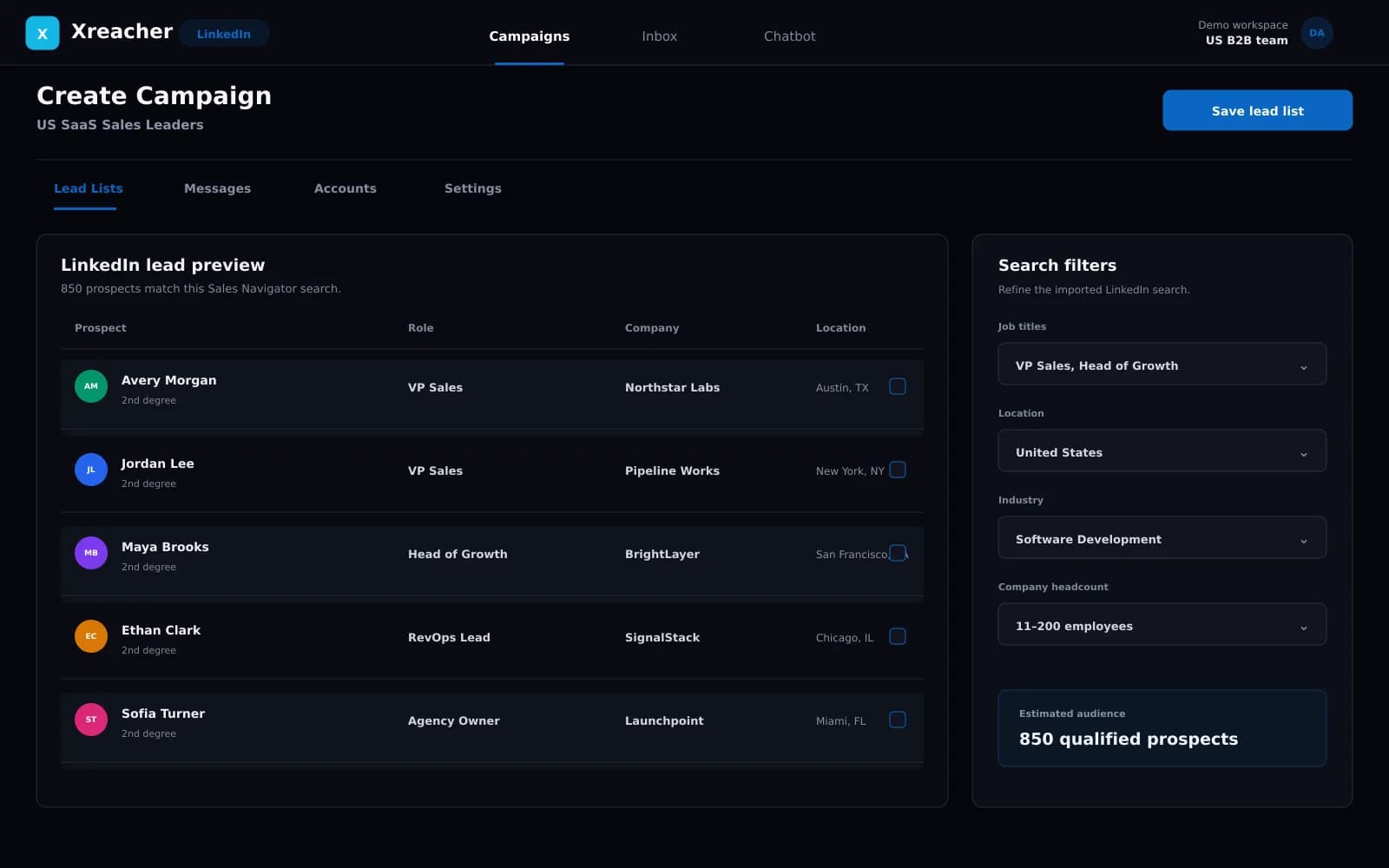
Turn LinkedIn people-search results into a campaign list, or import an existing list your team already approved.
Request-to-follow-up workflow
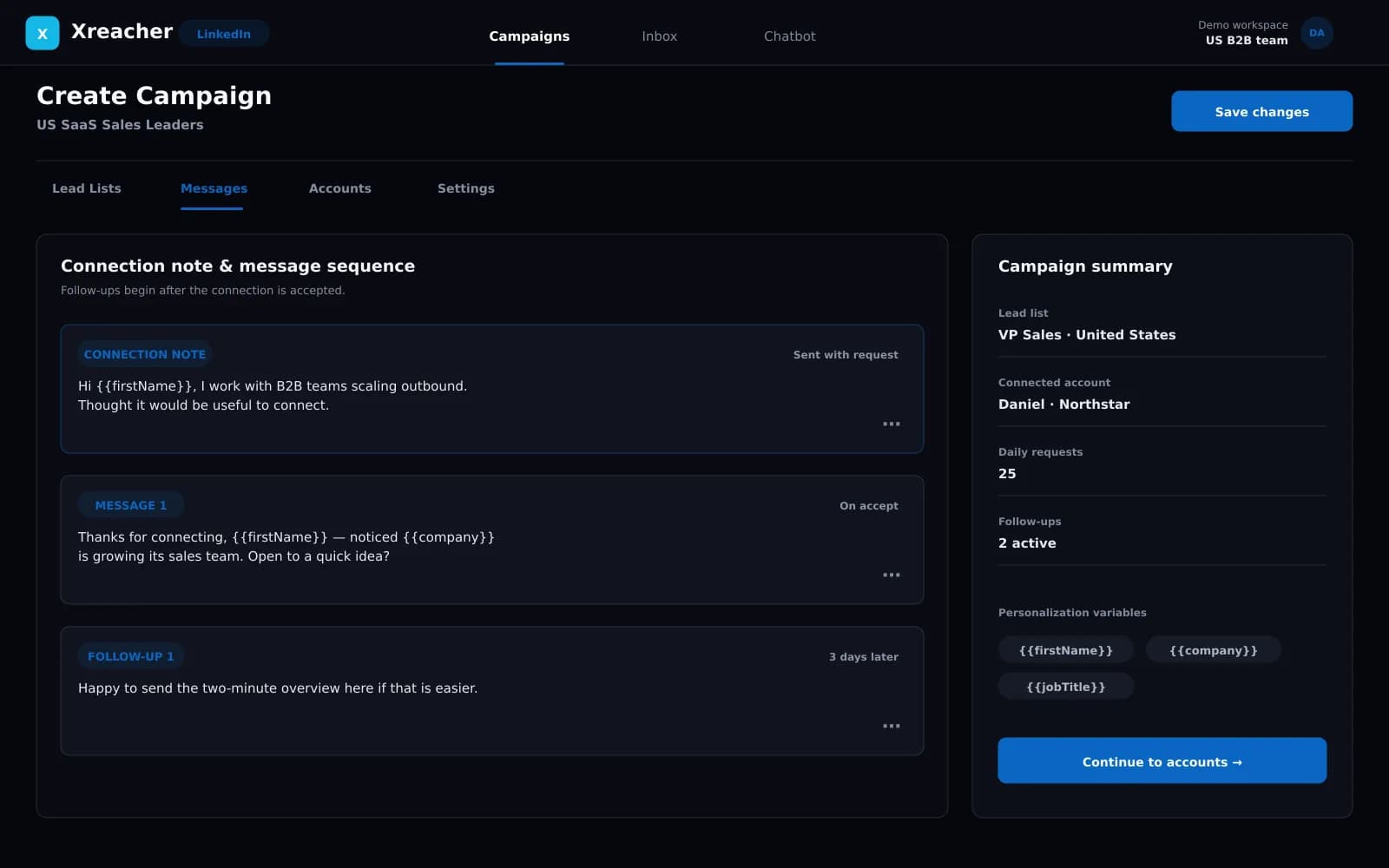
Send requests with an optional note, then trigger the first message and timed follow-ups after acceptance.
Campaign analytics
Review activity from the same LinkedIn campaign workflow.
Product proof
Screenshots from the actual outreach workflow
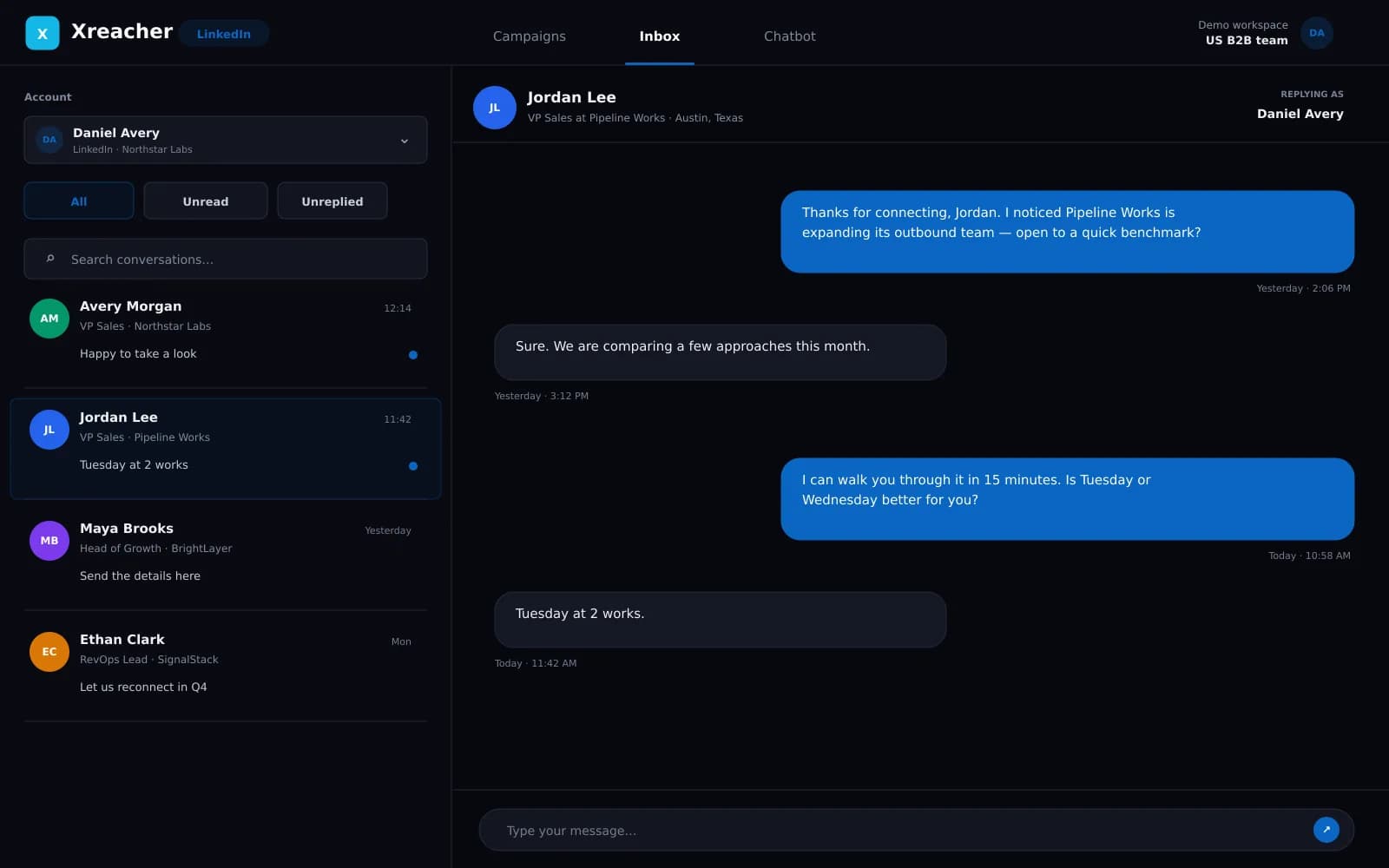
These fictional example workspaces reflect Xreacher's LinkedIn workflow: people-search lead lists, optional connection notes, accept-triggered messages, timed follow-ups, and campaign analytics.
Standardize the workflow, not the client's message
Agency scale comes from a repeatable operating process, not one template copied to every client. The repeatable part is the sequence of work: define the client's audience in LinkedIn search, create or import the lead list, review the list, configure request behavior, approve the post-accept sequence, and launch from the assigned account. The audience, positioning, and copy should remain specific to the client's offer. Xreacher gives the team one campaign structure for that process without claiming a white-label portal or replacing client strategy.
- Use the same launch checklist across accounts
- Keep each client's audience and messaging distinct
- Approve lists and sequences before enabling activity
Plan capacity with one connected account per seat
Each Xreacher seat connects one account on one supported platform. An agency that needs several LinkedIn accounts uses multiple seats rather than an unlimited-account promise. That makes capacity straightforward to plan and keeps each connected account tied to its own campaign activity. Multi-seat plans can mix platforms, so an agency might assign some seats to LinkedIn and others to X or Telegram when different clients or audiences require different channels. Xreacher does not claim client subaccounts, custom roles, or white-label delivery.
- Assign one connected account to each seat
- Use multiple seats for multiple LinkedIn accounts
- Mix LinkedIn, X, and Telegram seats when channel strategy differs
Separate operations with campaigns and lead lists
Clear naming and ownership matter when several campaigns are active. Keep lead lists scoped to the audience they represent, name campaigns by client and segment, and document which connected account is responsible for the activity. This is an operational convention rather than a claim that Xreacher provides a full agency CRM. The product supplies campaign, list, seat, and analytics workflows; the agency remains responsible for client approvals, communication, deliverables, and any external reporting process.
- Name campaigns and lists by client, offer, and segment
- Keep connected-account ownership explicit
- Handle client approvals and external reporting in the agency process
Use campaign analytics for review and handoff
Campaign analytics give operators a common view of activity and outcomes inside Xreacher. Use that view during internal review to check whether the list, connection workflow, and follow-up sequence are progressing as expected. Do not turn early activity into a universal performance promise or present X/Twitter benchmarks as LinkedIn results. An agency can summarize the relevant campaign observations in its normal client reporting workflow, while sales operators spend their time on replies, qualification, and the next targeting iteration.
- Review campaign activity on a consistent cadence
- Keep channel-specific claims separate from X benchmark data
- Use observations to improve the next list and sequence
FAQs
Can an agency run multiple LinkedIn accounts in Xreacher?
Yes. Each seat connects one account, so agencies use multi-seat plans for multiple LinkedIn accounts. Seats can also be split across LinkedIn, X, and Telegram.
Does Xreacher include a white-label client portal?
No white-label client portal is claimed. Xreacher provides campaign, lead-list, connected-account, seat, and analytics workflows; the agency manages client communication and delivery through its own process.
Can each client use a different LinkedIn sequence?
Campaigns and their lead lists and sequences can be organized separately. Agencies should keep each client's audience, positioning, and approval process distinct.
Does Xreacher replace an agency CRM?
No. Xreacher is social outbound software, not a general-purpose client CRM. It handles the supported sourcing, campaign, sequencing, and analytics workflow.
Can agency seats mix LinkedIn with other channels?
Yes. Each seat runs one connected account on one supported platform, and a multi-seat plan can mix LinkedIn, X, and Telegram accounts.
Last updated 2026-08-07