Best Tools
Best Telegram Lead Generation Tools
The best Telegram lead generation tools cover the full workflow, not just a username export: community discovery, lead collection or import, segmentation, personalized outreach, follow-ups, and reply tracking. Xreacher pairs Telegram lead sourcing with managed campaigns, a unified Unibox, an AI reply chatbot, and split-test analytics in one workspace.
Lead sourcing built in
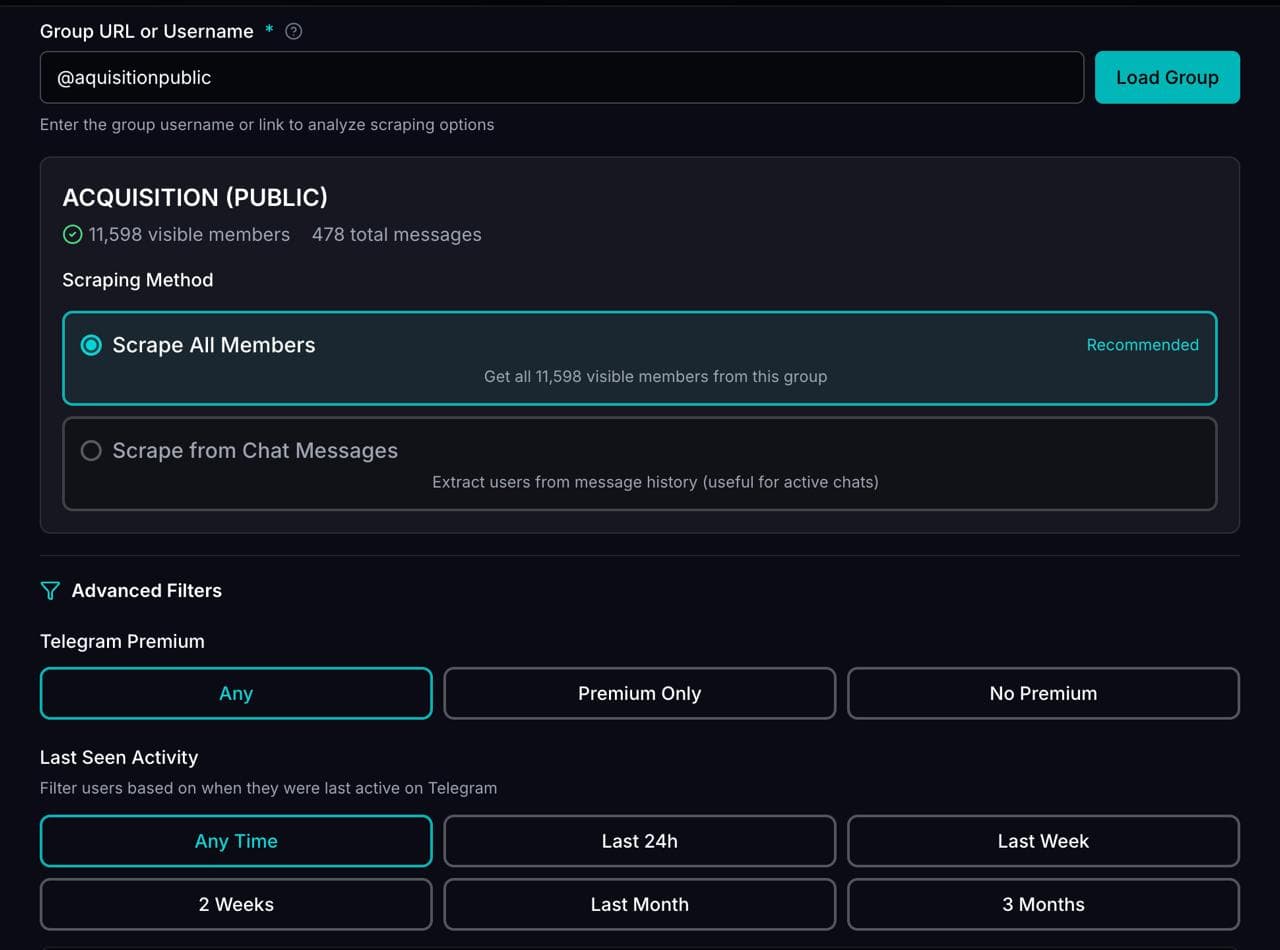
Build lists from X/Twitter audiences, keywords, imported lists, Telegram groups, and filtered prospect sources.
Campaign analytics
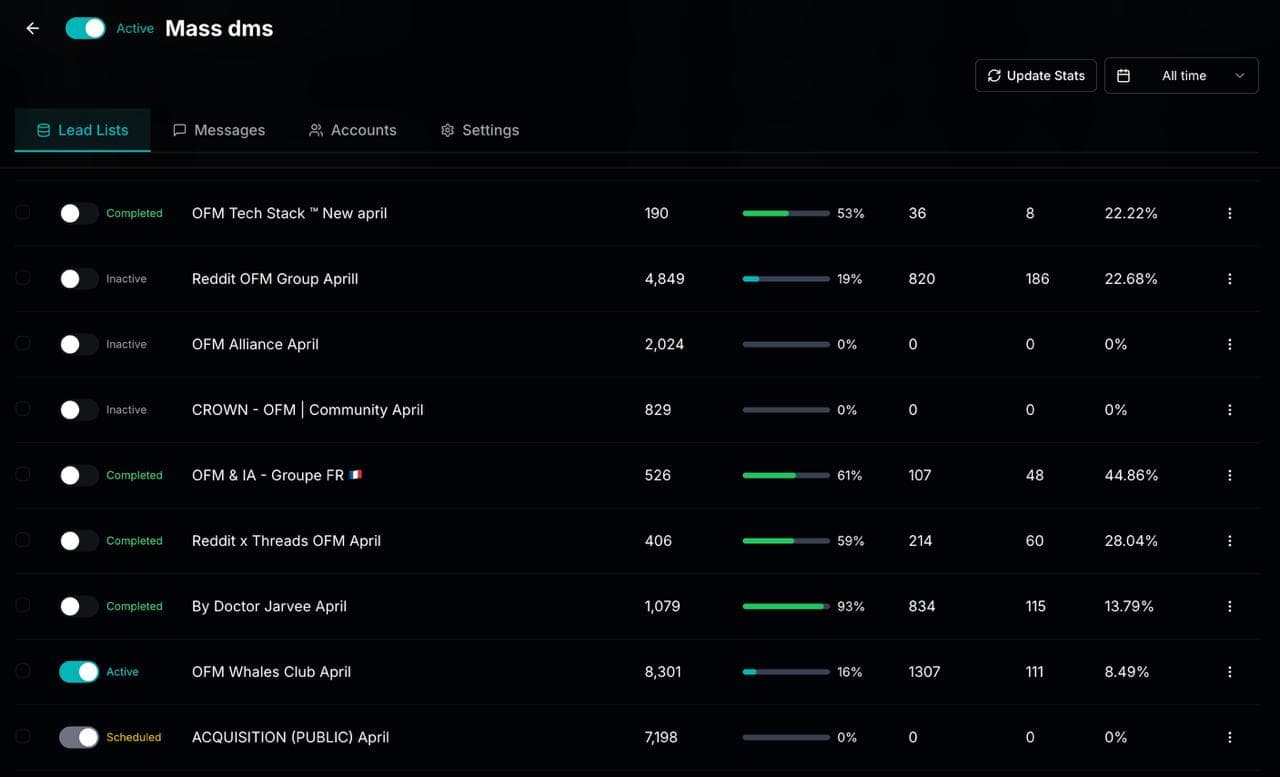
Compare reply rates by campaign, opener, message variation, sending account, and lead list so tests are not guesswork.
Unibox plus AI replies
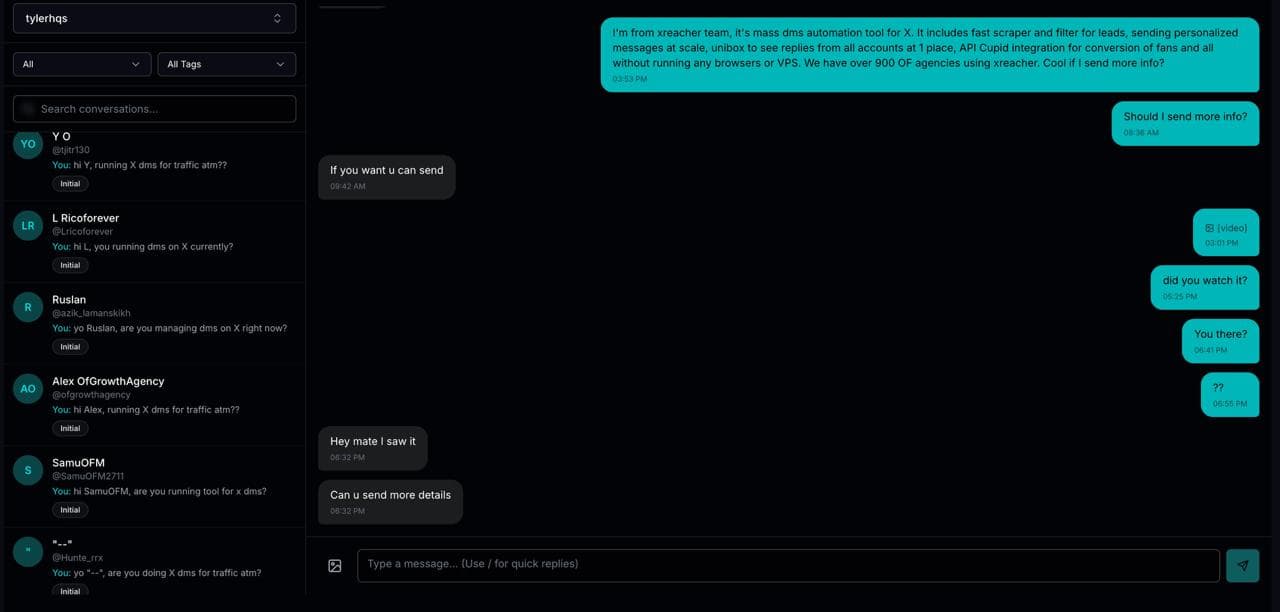
Read, filter, mark, and reply to leads from one inbox, or use an AI chatbot to handle goal-based conversations.
By the numbers
What 43.7M real cold DMs say
Figures below come from the Xreacher Cold DM Benchmarks (H2 2026), computed across every X/Twitter campaign sent through Xreacher in the 180 days ending July 3, 2026 — aggregated, anonymized, with the methodology published on that page.
3.19%
Best lead profile: X Premium, 10k-100k followers
Verified (X Premium) leads with 10k-100k followers replied at 3.19% — the strongest measured profile, vs 1.21% for non-Premium accounts under 1,000 followers.
See the data1.8x
X Premium vs non-Premium leads
Leads with X Premium replied at ~2.3% vs ~1.25% for non-Premium — a 1.8x gap that held across every follower band.
See the dataProduct proof
Screenshots from the actual outreach workflow
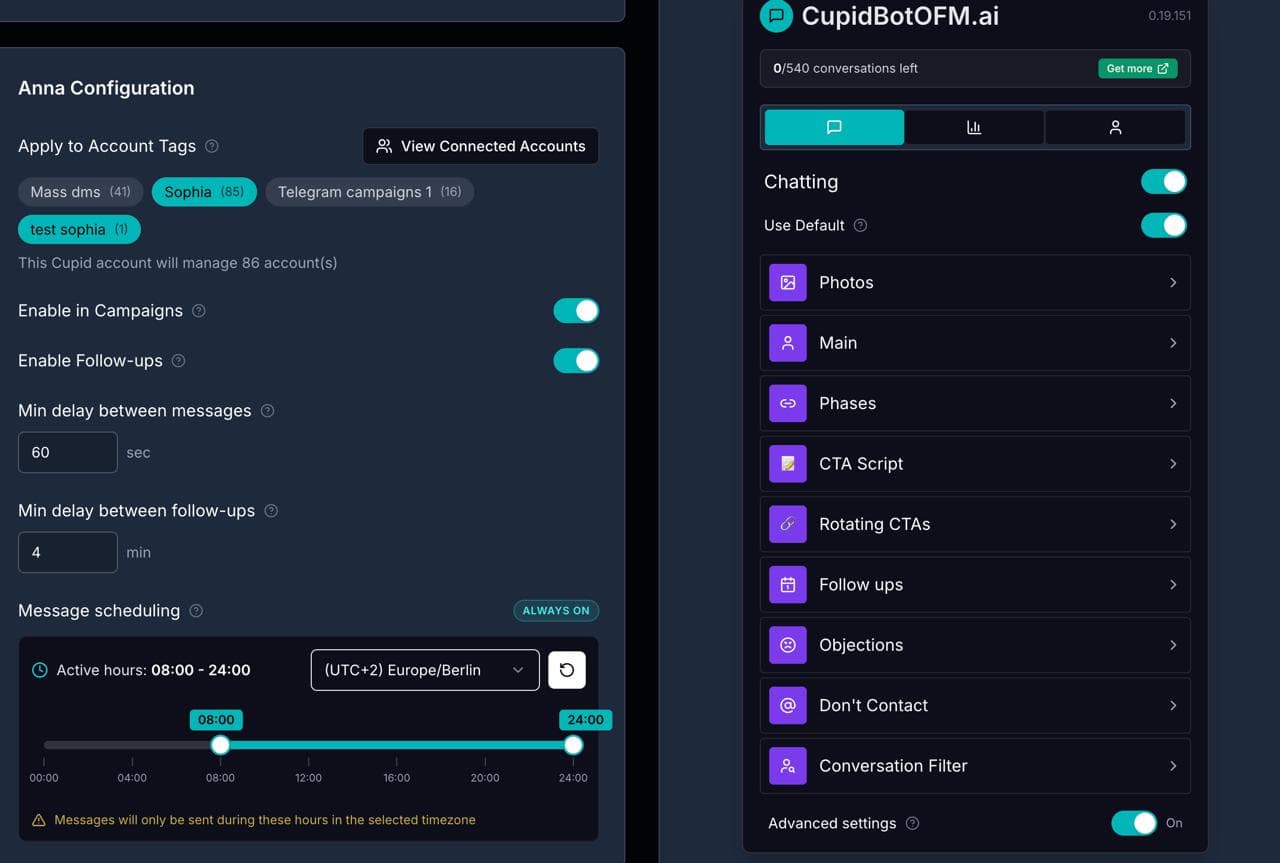
These pages are built around product workflows Xreacher already shows publicly: lead sourcing, AI-assisted messages, campaign analytics, inbox monitoring, and Telegram outreach.
What lead generation actually requires
Lead generation does not end when you have a list of usernames. A real pipeline moves a prospect from first signal to a tracked conversation, and the tool you pick should support every stage rather than one slice of it. Judge any Telegram lead generation tool against these steps.
- Community discovery: find the groups and communities where your buyers are active.
- Collection or import: gather a reviewable lead list or bring your own CSV.
- Segmentation: split leads by audience, offer, and campaign before anyone gets a message.
- Personalized outreach: send context-aware openers and automated follow-ups, not identical messages.
- Reply tracking and analytics: see who responded and which angle earned the response.
Where most Telegram tools stop short
The Telegram market is fragmented, and most tools own only one part of the workflow. Knowing what each category leaves to you is the fastest way to avoid stitching five products together.
- Scrapers and Chrome-extension senders: produce an export, then leave segmentation, personalization, and reply handling to you.
- Chatbot and inbound platforms: good for auto-responding to people who message first, weak for proactive sourcing.
- Outreach CRMs like CRMChat, Enreach, and C2Run: manage Telegram conversations but keep you on Telegram alone.
- Community-management tools: monitor groups but do not run targeted outbound campaigns.
Where Xreacher fits
Xreacher is built as a full lead-to-reply workflow across X/Twitter and Telegram in one workspace, so sourcing, outreach, replies, and reporting live in the same place. Telegram lead generation runs at the workflow level: source from groups and imports, segment lists, send personalized messages and follow-ups, and track replies. The same account brings proven X/Twitter depth alongside it.
- Unibox: one unified inbox across connected accounts with quick-reply templates, media attachments, and lead-profile context.
- AI reply chatbot: a configurable persona on current top-tier models that works replies toward goals like booking a call, with a built-in objection-handling library.
- Split-test analytics: an ads-manager-style dashboard showing reply rate by campaign, opener variation, sending account, and lead list.
- Account safety controls: per-account proxies, warmup tracking, resting and rate-limit handling, plus anti-spam risk scoring.
- On the X/Twitter side: a deep-filter scraper (followers, following, tweet engagers, or CSV) and follow-before-DM steps.
How to choose the right tool
Match the tool to where your buyers are and how much of the workflow you want to own. If your prospects only live in Telegram groups and you already handle replies elsewhere, a focused outreach CRM may be enough. If you want sourcing, personalization, replies, and reporting in one system, or you run outbound on both Telegram and X/Twitter, a full-stack tool removes the manual handoffs.
- Pick full-stack if you want analytics that explain which angle and audience convert.
- Pick full-stack if you run both Telegram and X/Twitter and want one inbox.
- Pick a single-channel CRM if Telegram is your only channel and lists arrive ready.
- Whatever you choose, insist on segmentation, pacing controls, suppression, and opt-out handling.
FAQs
What are the best Telegram lead generation tools?
The best ones cover the full workflow rather than a single step: community discovery, lead collection or import, segmentation, personalized outreach, follow-ups, and reply tracking. Categories include scrapers, senders, outreach CRMs like CRMChat or Enreach, and full-stack tools such as Xreacher that also run X/Twitter outreach.
Are Telegram scrapers enough for lead generation?
Usually no. A scraper can produce a list, but a list is not a pipeline. You still need to segment prospects, write personalized messages, pace sending, suppress already-contacted leads, and track replies. Scraper-only workflows push all of that back onto you as manual cleanup.
Can I do Telegram and X/Twitter lead generation in one tool?
Yes. Xreacher runs all three channels from one workspace, with per-channel inboxes, an AI reply chatbot, and split-test analytics. Telegram works at the workflow level for sourcing and outreach, the X/Twitter side adds a deep-filter scraper and follow-before-DM steps, and LinkedIn brings automated connection requests with accept-triggered sequences.
Is Telegram lead generation safe and allowed?
It depends on how you do it. Responsible lead generation means targeted sourcing, relevant personalized messages, pacing controls, suppression, and respecting group rules and opt-outs. Avoid tools that promise hidden member extraction, unlimited scraping, or bypassing limits, since those create real account risk.
How much do Telegram lead generation tools cost?
Pricing varies by category. Xreacher offers a free starter tier with one account, a paid monthly single-account tier that includes the Unibox and AI chatbot, and a Scale plan with per-account pricing that drops sharply at higher counts. Payment is by card or crypto.
Last updated 2026-06-24