Best Tools
Best Telegram Outreach Tools, Honestly Categorized
The best Telegram outreach tools fall into four groups: outbound CRMs (Xreacher, CRMChat, Enreach, C2Run), dedicated senders like TeleSender, inbound chatbot platforms, and community managers. For targeted outbound plus reply management and split-test analytics, Xreacher runs Telegram and X/Twitter in one workspace, so you source, message, and track leads in a single place.
Lead sourcing built in
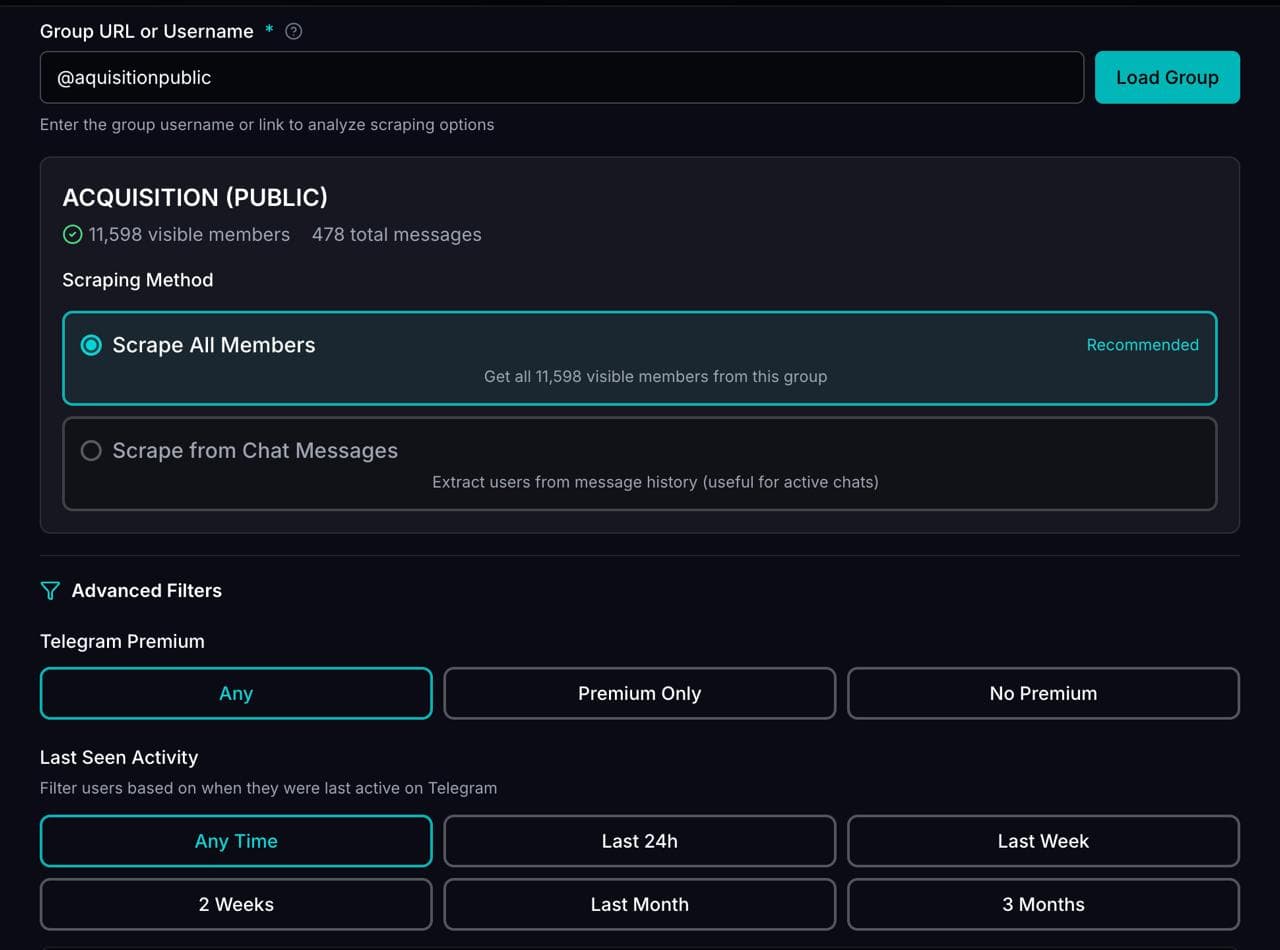
Build lists from X/Twitter audiences, keywords, imported lists, Telegram groups, and filtered prospect sources.
Campaign analytics
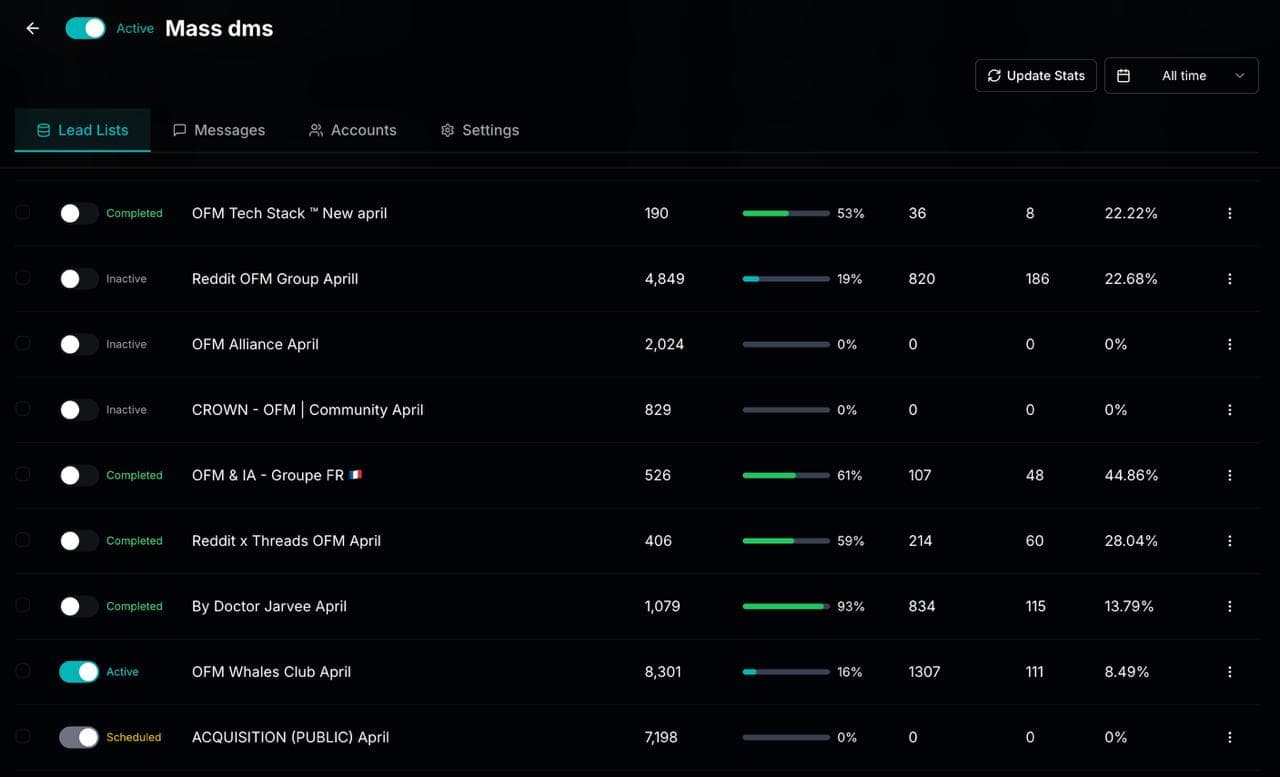
Compare reply rates by campaign, opener, message variation, sending account, and lead list so tests are not guesswork.
Unibox plus AI replies
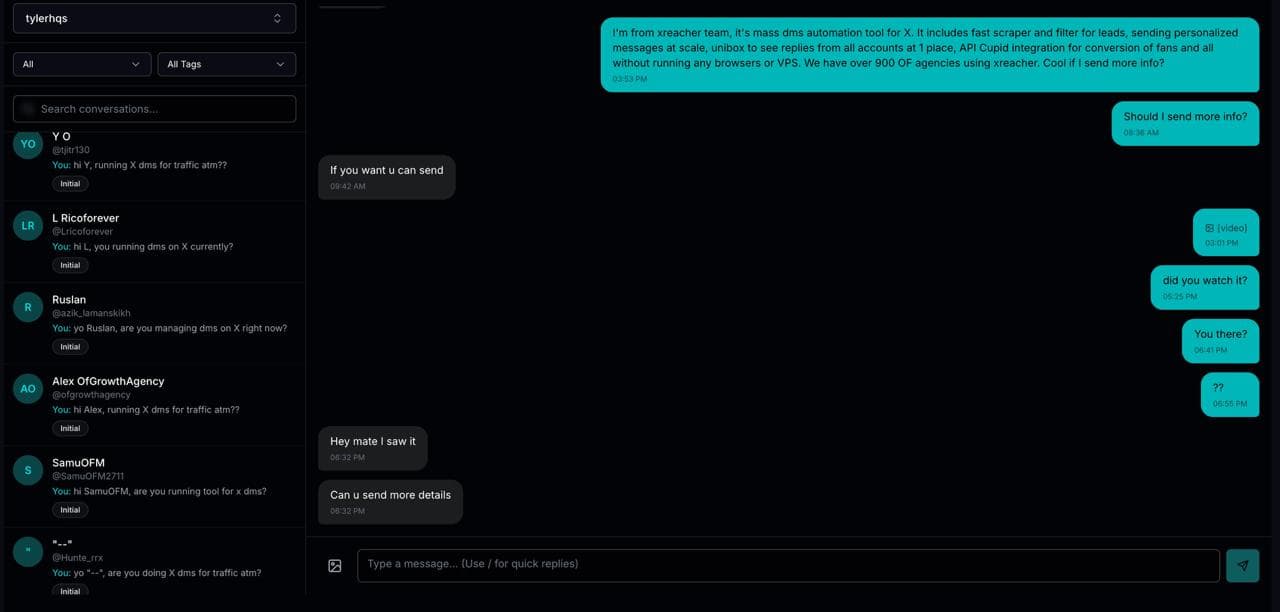
Read, filter, mark, and reply to leads from one inbox, or use an AI chatbot to handle goal-based conversations.
By the numbers
What 43.7M real cold DMs say
Figures below come from the Xreacher Cold DM Benchmarks (H2 2026), computed across every X/Twitter campaign sent through Xreacher in the 180 days ending July 3, 2026, aggregated, anonymized, with the methodology published on that page.
2.2-2.5%
Solo and small senders (1-3 accounts)
Senders using 1-3 X accounts saw 2.2-2.5% reply rates, roughly 6x the 0.39% earned by mass multi-account operations. Targeting beats volume.
See the data99.3%
Cold DM threads that never get a follow-up
99.3% of cold DM threads are a single message; even among smaller non-bulk senders, 96.5% never send a follow-up, partly rational, since follow-ups consume the same daily DM allowance as fresh prospects.
See the data42%
Replies arriving within 24 hours
42% of replies to a single-message cold DM arrive within 24 hours, 62% within three days, and 22.6% only after a full week, long after most senders stop watching the thread.
See the dataProduct proof
Screenshots from the actual outreach workflow
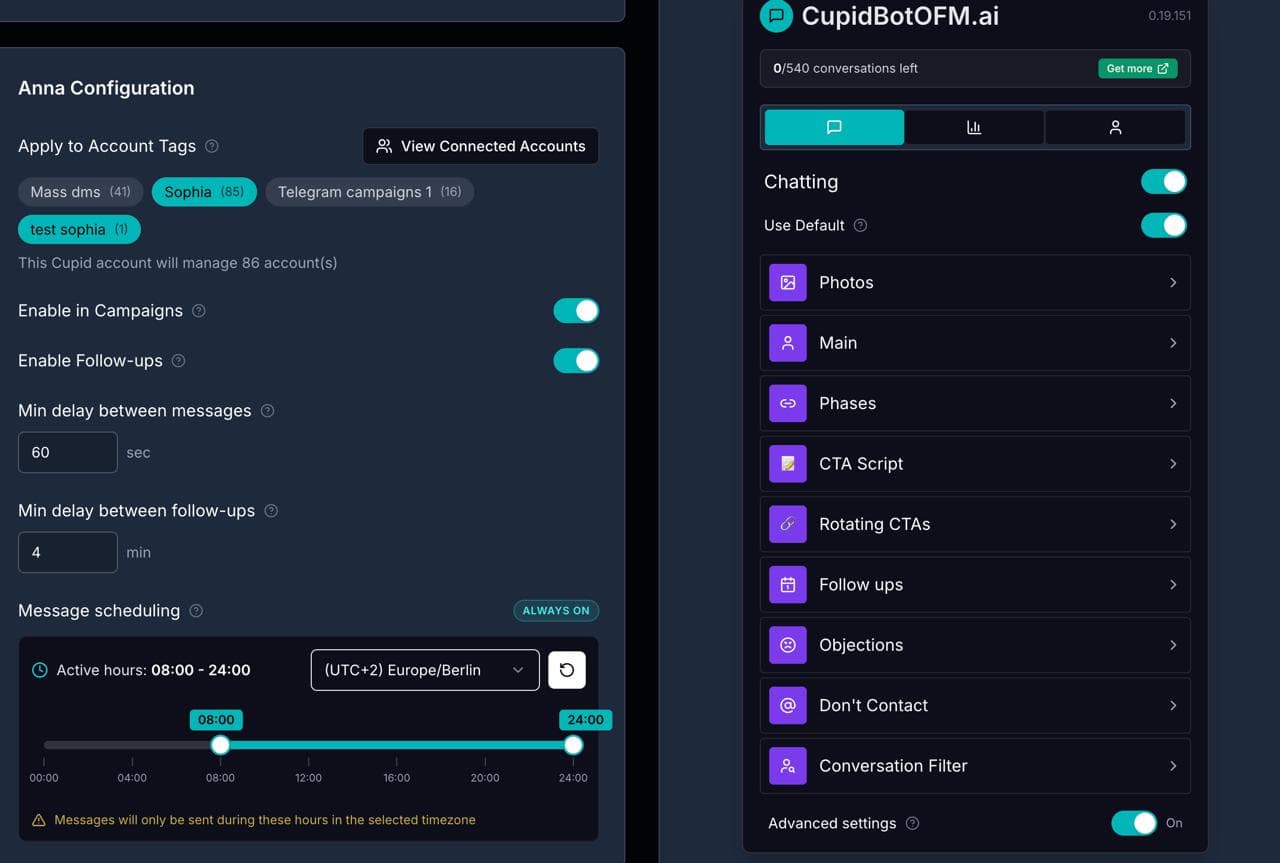
These pages are built around product workflows Xreacher already shows publicly: lead sourcing, AI-assisted messages, campaign analytics, inbox monitoring, and Telegram outreach.
The four categories of Telegram outreach tools
The Telegram tooling market is fragmented, so match the tool to the job before comparing features. Outbound CRMs handle the full lead-to-reply workflow: sourcing prospects, sending personalized messages, following up, and managing replies. Senders are narrow Chrome-extension tools that push messages but stop there. Inbound chatbot platforms answer people who message you first. Community managers moderate and engage inside groups you already own. Most buyers searching for outreach actually need an outbound CRM, not a send-only extension, because replies and tracking are where deals are won.
- Outbound CRMs: source, message, follow up, manage replies (Xreacher, CRMChat, Enreach, C2Run)
- Senders: send-only Chrome extensions (TeleSender and similar)
- Inbound chatbots: auto-reply to people who contact you first
- Community managers: moderation and engagement inside owned groups
What separates a real outreach platform from a sender
A sender ends the moment a message goes out. A real outbound platform owns the whole loop. Look for a unified inbox so replies from every connected account land in one place, automated follow-up sequences with delays, suppression so you never message the same lead twice, and analytics that tell you which angle worked. Just as important are the safety controls: per-account proxies, warmup tracking, configurable daily limits, timezone-aware sending windows, and resting or cooldown states. These are pacing controls that keep accounts healthy, not volume levers.
- Unified inbox across all connected accounts
- Automated follow-ups with delays and suppression of already-messaged leads
- Per-account proxies, warmup tracking, and resting states
- Configurable daily limits and timezone-aware sending windows
Where Xreacher fits among Telegram CRMs
Xreacher is built for targeted outbound plus replies and analytics. On Telegram (its Telereacher product) you source group leads, segment them, send personalized messages, run follow-up sequences, manage replies in the Unibox, and read campaign analytics. Its AI reply agent uses current top-tier models (GPT-5 class) to auto-reply toward a goal like booking a call, with a built-in objection-handling library for not-interested, why-pay, safety, and bot-suspected replies. The flagship is split-test analytics: reply rate broken out by campaign, opener variation, sending account, and lead list, so you test angles instead of staring at one blended number.
- Telegram: group lead sourcing, segmentation, personalized messages, follow-ups, replies, analytics
- AI reply agent (GPT-5 class) that works toward a goal with objection handling
- Split-test reply rates by campaign, opener, account, and lead list
- Anti-spam and risk monitoring with device fingerprinting and risk scoring
The case for one tool across Telegram and X/Twitter
Most competitors live on a single channel. CRMChat, Enreach, and C2Run focus on Telegram; Drippi focuses on X/Twitter. Xreacher runs both in one stack, so a campaign, inbox, and analytics dashboard cover your whole audience. On X/Twitter you also get a deep-filter lead scraper (pull from an account's followers, following, or tweet engagers, then filter by bio keywords, location, followers, verified, and website) plus follow-before-DM. Billing is flexible too: a 7-day free trial on Pro, per-account volume pricing as you scale, and payment by card or crypto.
- Telegram, X/Twitter, and LinkedIn campaigns in one workspace
- X/Twitter deep-filter scraper from followers, following, or tweet engagers
- Follow-before-DM and auto-follow-after-DM on X/Twitter
- 7-day free trial on Pro, per-account volume pricing, card and crypto payments
FAQs
What is the best Telegram outreach tool in 2026?
It depends on your goal. For send-only messaging, a Chrome-extension sender works but lacks replies and analytics. For full outbound with sourcing, personalized messages, follow-ups, a unified inbox, and split-test analytics, an outbound CRM like Xreacher fits best, and it adds X/Twitter in the same workspace.
What is the difference between a Telegram sender and an outreach CRM?
A sender pushes messages and stops there. An outreach CRM runs the full workflow: sourcing leads, personalizing messages, automating follow-ups, managing replies in a unified inbox, and reporting reply rates. The CRM is what turns sent messages into tracked conversations and booked calls.
Can one tool handle both Telegram and X/Twitter outreach?
Yes. Xreacher runs Telegram, X/Twitter, and LinkedIn campaigns in one workspace with per-channel inboxes and a shared analytics dashboard, so you manage every audience in one place. Most rival tools cover only a single channel.
Is Telegram outreach safe for my accounts?
Safety comes from pacing and controls, not volume. Look for per-account proxies, warmup tracking, configurable daily limits, timezone-aware sending windows, and resting or cooldown states. Xreacher includes these plus anti-spam and risk monitoring with device fingerprinting and risk scoring to keep accounts healthy.
Does Xreacher have an AI chatbot for Telegram replies?
Yes. Xreacher's AI reply agent uses current top-tier models (GPT-5 class) to auto-reply toward a goal like booking a call. You configure persona, scheduling, messages per hour, and delays, and it draws on a built-in objection-handling library for replies like not-interested, why-pay, and safety questions.
How much do Telegram outreach tools cost?
Pricing varies by tool and seat or account count. Xreacher offers a free starter tier with one account, a paid single-account tier that includes the Unibox and AI chatbot, and per-account Scale pricing where the per-account cost drops at higher counts. It accepts card and crypto payments.
Last updated 2026-08-07