

In short
LinkedIn doesn't publish the number or show a counter; users report hitting it after about 250 to 350 searches a month. It resets at the start of each calendar month, and LinkedIn support can't lift it early. Premium Business, Sales Navigator and Recruiter Lite remove it; Premium Career doesn't. You can also keep finding leads without spending searches: people who engaged with a post, a lead database, or a Sales Navigator search.
What the LinkedIn search limit is
LinkedIn calls it the commercial use limit. It applies to free accounts whose searching looks like hiring or prospecting: many people searches, paging through results, opening profiles outside your network.
Read moreShow less
When you reach it, LinkedIn shows a notice that you've hit the limit and stops showing full people search results until the month is over. It isn't a restriction on your account. Messages, connection requests and posting keep working, and it doesn't count against the account's standing. It only caps people search.
- Applies to free LinkedIn accounts
- Caps people search for the rest of the calendar month
- Not an account restriction: messages and invitations still work
How many searches you get
LinkedIn keeps the number private and doesn't show how many searches you have left. User reports put it at about 250 to 350 people searches a month on a free account, and it seems to depend on how commercial your searching looks, not only on the count.
Read moreShow less
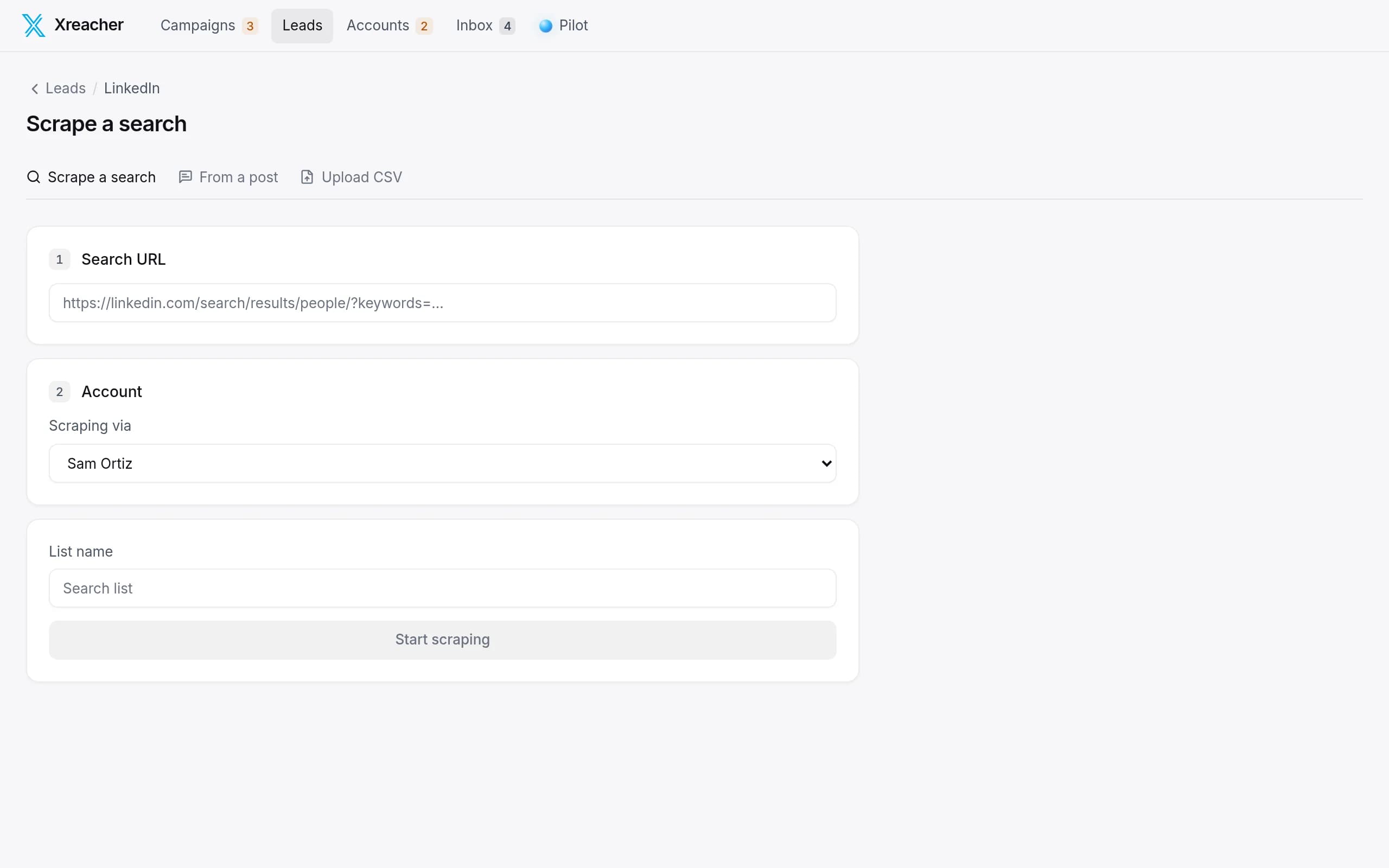
Every people search counts, including searches a tool reads for you on your account: in Xreacher, one regular people search usually returns about 170 to 390 people before LinkedIn stops paging, and reading it uses the free account's monthly searches. Separately, a free search only shows up to 1,000 results, however many match.
- Free accounts: about 250 to 350 searches a month (reported, not published)
- No counter: you find out when you hit it
- Up to 1,000 results shown per search on a free account
When the LinkedIn search limit resets
It resets on the 1st of each calendar month, which reports put at midnight Pacific time. It doesn't roll over 30 days from when you hit it, so hitting it on the 28th costs you a few days, while hitting it on the 3rd costs you most of the month.
Read moreShow less
LinkedIn support doesn't reset it early, and logging out, clearing cookies or switching browsers doesn't change anything, because the limit sits on the account.
- Resets on the 1st of the month
- Support can't reset it early
- Tied to the account, not the device or browser
Which LinkedIn plans remove the search limit
Premium Business, Sales Navigator and Recruiter Lite lift the commercial use limit; LinkedIn describes them as raising the number of searches and profile views.
Read moreShow less
Premium Career, the plan for job seekers, isn't one of them, so it doesn't help with prospecting searches. Sales Navigator also adds lead filters, saved searches and up to 2,500 results per search, which is why most people who prospect every day end up on it. Sales Navigator Core costs $119.99 a month, or less paid yearly; see our Sales Navigator pricing guide for every plan.
- Removes it: Premium Business, Sales Navigator, Recruiter Lite
- Doesn't remove it: Premium Career
- Sales Navigator: up to 2,500 results per search, saved searches and lead filters
How to stretch your free searches
If you stay on a free account, make each search count. Build one precise search with filters and the right job titles instead of several broad ones, and work through the results before starting a new search.
Read moreShow less
Save the profiles you want as you go, so you don't search for them again. Search engines are another option: a Google search like site:linkedin.com/in plus a job title and a city, often called an X-ray search, finds public LinkedIn profiles without using LinkedIn's search at all. It's slower and less precise, but it doesn't touch the limit.
- One precise search beats several broad ones
- Finish a search before starting the next
- Google X-ray search: site:linkedin.com/in plus title and location
Ways to find leads that don't use LinkedIn searches
The limit only caps people search, so leads from other sources don't spend it. People who liked or left a comment on a post in your niche are often the warmest leads anyway, and collecting them isn't a search.
Read moreShow less
A lead database lets you filter people by title, seniority and company size outside LinkedIn. A Sales Navigator search runs on its own seat without the free account's cap. And a CSV of profile URLs from a list you already have skips searching entirely.
- Post engagers: people who liked or left a comment
- A lead database searched outside LinkedIn
- Sales Navigator searches on a seat
- A CSV of profile URLs you already have
How Xreacher finds LinkedIn leads without spending your searches
Xreacher gives you all of these in one place. From a post collects the people who liked or left a comment on it, up to 500 by default, and it doesn't use the account's monthly search limit; you can keep collecting new engagers every 12 hours for 14 days.
Read moreShow less
The LinkedIn lead database has filters modelled on Sales Navigator, such as job title, function, seniority, years of experience, industry, company headcount and skills, or you describe the audience in a sentence. Nothing is scraped from your own LinkedIn account to build it, and your sender account looks each person up just before contacting them. On an account with a Sales Navigator seat you can paste a Sales Navigator search, saved search or lead list, up to about 2,500 people per search. You can also upload a CSV of profile URLs. A regular people search link still works, but on a free account it spends the monthly searches like any search.
- From a post: likes and comments, no search limit used
- LinkedIn lead database with Sales Navigator-style filters
- Sales Navigator links: about 2,500 people per search
- CSV upload of profile URLs